MKV is one of the most popular video formats for storing high-quality movies because it can preserve HD video, multiple audio tracks, subtitles, and other media information in a single file. However, many streaming platforms only provide app-based offline viewing instead of allowing users to save movies as local MKV files. If you wish to save your favorite movies in MKV format, this guide is for you. After reading this article, you’ll learn how to download HD movies as MKV files for offline viewing using a professional video downloader, and other ways to get MKV movies online.
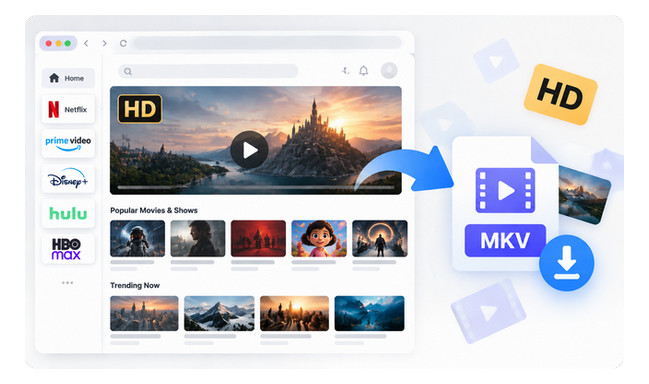
When choosing a format for downloaded movies, MKV and MP4 are two of the most common options. To make this easier to understand, let’s look at MKV by comparing it with MP4.
Both MKV and MP4 are video container formats. They works like a box that stores different parts of a video file, including video streams, audio tracks, subtitles, chapters, and metadata. The container itself does not determine video quality. In other words, an MKV file is not automatically clearer than an MP4 file. The main difference is that MKV is designed to store more complete media information inside one file.
For example, imagine downloading the same movie in two formats:
Both files can provide excellent picture quality, but the MKV version keeps more complete movie information in a single file. This makes it a better choice for users who want to build a movie library, preserve multiple languages, or keep a high-quality offline copy.
Simply put:
Here we will teach you to download Netflix videos as MKV files and save them forever for offline playback. Learn More →
NoteBurner All-In-One Video Downloader is a desktop video downloader that helps users save movies and TV shows from supported streaming platforms in high quality. It supports 1,000+ websites, including popular platforms such as Netflix, Amazon Prime Video, Disney+, Hulu, Max, YouTube, and more.
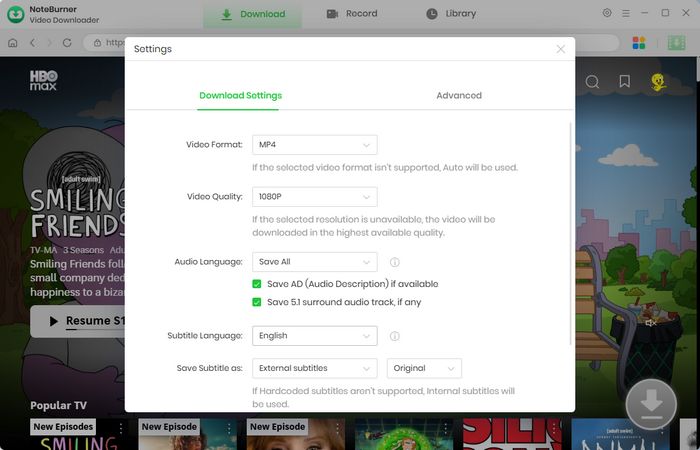
When downloading movies as MKV files, NoteBurner lets you preserve multiple original audio tracks and subtitle tracks in different languages. You can save subtitles as internal, external, or hardcoded subtitles, with external subtitles supported in SRT and VTT formats. It also supports 5.1 Dolby surround sound for compatible videos, helping retain the original immersive audio experience. For video quality, you can download up to 1080p, depending on the source video.

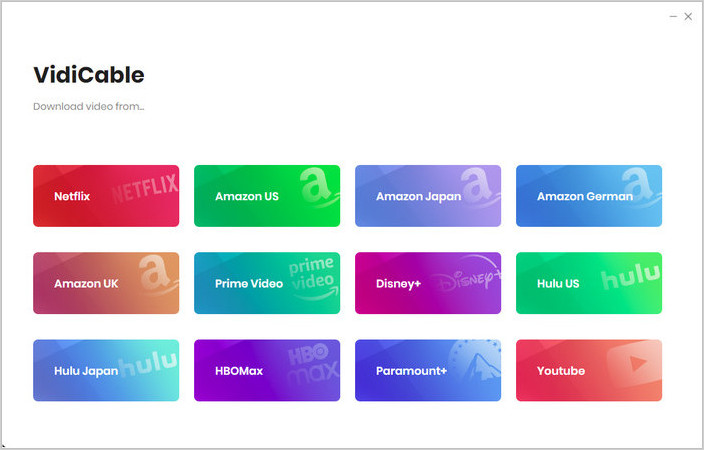
Step 1 Select a Streaming Service
Launch NoteBurner All-In-One Video Downloader and select the streaming platform where your movie is available. You can also browse supported websites through the More Sites section.
Step 2 Choose MKV Output Settings
Click the  button in the upper-right corner to customize download settings. Select MKV as the output format. You can also customize video quality and output location before downloading.
Step 3 Search for the Movie You Want to Download
Enter the movie title in the search box or browse directly through the selected streaming service. Choose the correct video from the search results and open the download page.
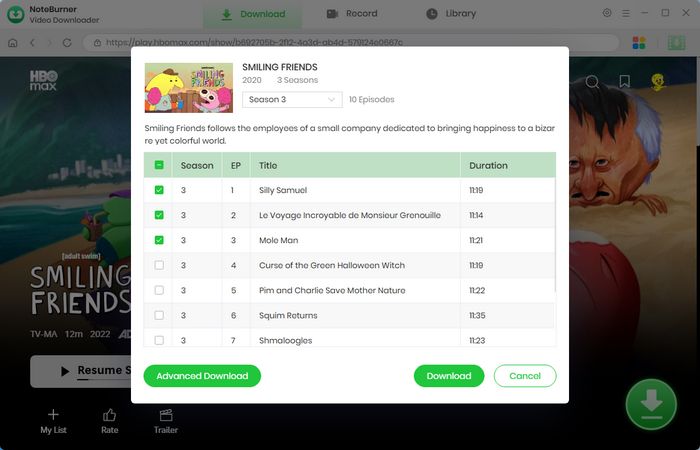
Step 4 Select Audio Tracks and Subtitles
Before downloading, open Advanced Download to select available audio tracks, subtitle languages, subtitle types, and other download preferences.
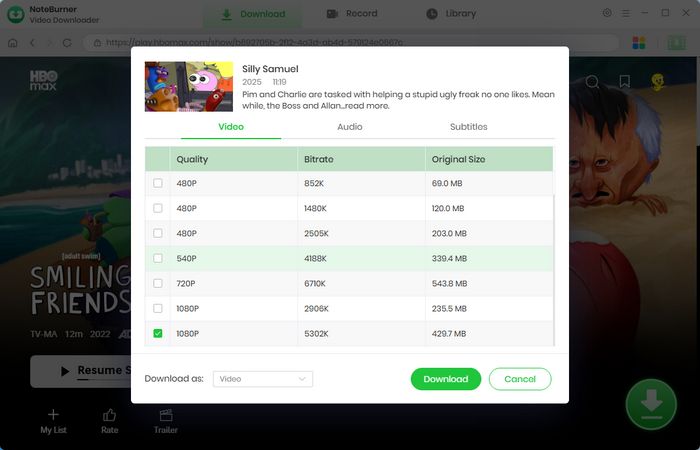
Step 5 Download Movies as MKV Files
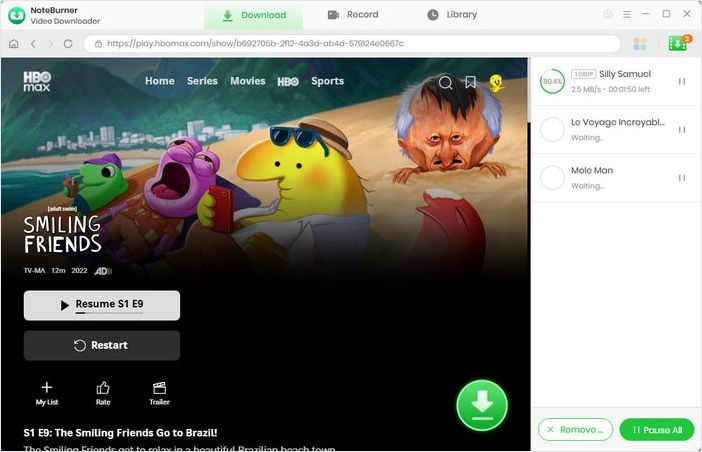
Click the Download button to start saving the selected movie. NoteBurner will process the video and save it according to your chosen MKV output settings. After downloading, open the Library section to view saved videos.
Disclaimer: For personal/educational use only. 🚫 Do not distribute downloaded video for commercial use.
Some users prefer to find movies that are already available as downloadable MKV files instead of converting videos later. This option is mainly available through legal open media sources, public domain collections, and independent movie projects.
For example, platforms like Internet Archive provide a large collection of public domain movies and open media files. Some independent projects, such as open movie releases, also offer high-quality video files that can be downloaded directly in flexible formats.
However, this method has several limitations. The available movie library is usually much smaller compared with commercial streaming platforms, and newly released movies are rarely available as direct MKV downloads. In addition, video quality, audio tracks, subtitles, and file formats may vary depending on the source.
⬇️ Looking for a Better Way to Download Streaming Movies as MKV Files? Try NoteBurner Video Downloader — Save supported streaming videos as MKV files with HD quality, available subtitles, and audio tracks for offline viewing.
You can download movies as MKV files with a video downloader that supports MKV output. MKV movie downloads are popular because this format can store high-quality video, multiple audio tracks, subtitles, and other movie information in one file. For users who want flexible offline playback, NoteBurner All-In-One Video Downloader allows you to save supported streaming videos as MKV files with available HD quality, subtitles, and audio tracks.
The best MKV movie downloader should support high-quality video output, MKV format, subtitles, and audio track options. NoteBurner All-In-One Video Downloader helps users save supported streaming videos in MKV format while keeping available video quality, subtitles, and audio tracks for offline viewing.
Yes, you can download 1080p or 4K movies as MKV files if the original video source provides the required quality. The final resolution depends on the available source quality and platform limitations. MKV is commonly used for high-quality movie storage because it can keep additional media information such as multiple audio tracks and subtitles.
Both MKV and MP4 are widely used video container formats. MP4 is known for excellent compatibility across devices, while MKV is often preferred for movie collections because it can store multiple audio tracks, subtitles, chapters, and other additional information in a single file.
Yes. One of the main advantages of MKV files is that they can contain multiple subtitle tracks and audio streams. This makes MKV a suitable format for movies with different language options, surround sound, and additional subtitle versions.
This article tells you how to download videos from Amazon Prime Video to MKV format with NoteBurner. Learn More →
MKV is a great choice for users who want to keep movies with high-quality video, multiple audio tracks, subtitles, and other media information in one file.
While finding direct MKV movie downloads online can be difficult, a video downloader with MKV support provides a more convenient way to save supported streaming videos. With NoteBurner All-In-One Video Downloader, you can download movies as MKV files with available HD quality, multiple subtitles, and audio tracks for a better offline viewing experience.
Note: Only the first 5 minutes of each video can be downloaded with the trial version. Please purchase a license to access full downloads. We recommend testing the trial version before making a purchase.