Many popular streaming platforms like Netflix, Disney+, and Hulu offer huge libraries of movies and TV shows—but most of them require a paid subscription. In the U.S., these services typically cost around $8–$25 per month, depending on the plan and whether you choose ad-free streaming.
If you only want to watch a movie or a few episodes once in a while, subscribing to multiple streaming services can quickly become expensive. If you don’t want to pay for a subscription, the 10 best free apps to watch movies and TV shows below are worth trying.
Read Also: 15 Free Websites to Watch Movies Online (2026 Most Visited)
The free movie streaming apps mentioned below have all been tested and allow you to watch movies and TV shows without paying. They are all legal and safe, and each has its own features. Of course, since the services are free, most apps will include ads during playback.
Tubi is one of the best free streaming apps, offering a massive library of movies and TV shows without requiring a subscription. With thousands of titles across different genres and a clean, user-friendly interface, it’s a great option for anyone looking for apps to watch movies online. The platform is ad-supported, but the ads are usually short and not overly intrusive.
Download Movies and TV Shows for Offline Playback?
Use
NoteBurner All-In-One Video Downloader!
1080p quality, 5× faster speed, batch downloads, multi-language subtitles & audio tracks preserved.
Plex is more than just a free movie streaming app—it’s a powerful media platform that lets you watch free movies and TV shows while also organizing and streaming your own media library. In addition to its personal media server features, Plex now offers a growing catalog of ad-supported movies, TV shows, and live channels, making it one of the most versatile free apps for movies and TV shows.
Pluto TV is a free streaming service that blends live TV channels with an on-demand movie and TV library, creating an experience similar to traditional cable without the subscription fee. With 250+ live channels and thousands of on-demand titles, it’s a great option for users who enjoy channel surfing as well as watching movies and shows anytime. It’s also one of the most popular free streaming apps for viewers who want live content TV shows, and movies in one place.
Tired of Crunchyroll restrictions? Discover top downloaders to save anime offline easily, with HD quality, MP4 format, and full step-by-step guides.
The Roku Channel offers a large collection of free, ad-supported movies and TV shows, along with live TV channels and exclusive original content. With 10,000+ titles and partnerships with major studios, it’s a strong option for viewers who want a mix of popular films, classic shows, and live entertainment. It’s also widely available across devices, making it one of the most convenient apps to watch movies on TV.
Fandango at Home (formerly known as Vudu) is a digital movie platform that combines free ad-supported streaming with premium rentals and purchases. While it’s mainly known as a movie store, it also offers a solid catalog of movies and TV shows that can be streamed for free with ads. Some titles even support 4K UHD quality, which is rare among free movie streaming apps.
Explore 10+ top MP4 movie downloaders to save movies free. Compare safe, high-speed tools for downloading movies in MP4 on desktop, mobile, and online.
Fawesome is a free streaming app that offers a huge collection of ad-supported movies and TV shows. With over 150,000 on-demand titles, it covers a wide range of genres, including classics, dramas, comedies, thrillers, and documentaries. The best part is that you can start watching instantly without creating an account.
Crackle is one of the earliest free streaming services and is still a solid choice for watching movies and TV shows legally with ads. While its library isn’t as massive as some newer platforms, it focuses on a curated selection of action films, comedies, classic TV series, and some original content, making it a reliable option among apps to watch movies legally for free.
Learn how to download shows from Hulu offline using the official method or a permanent download solution. Compare limits, expiration, and device support.
Redbox is widely known for its DVD rental kiosks across the United States, but its streaming app also offers a selection of free ad-supported movies and live TV channels. Users can browse a library of classic films, action titles, and TV shows without a subscription, while also having the option to rent or buy newer releases. This hybrid model makes Redbox a convenient platform for both free viewing and the latest movie releases.
Crunchyroll is one of the most popular streaming apps for anime fans worldwide. While it is primarily known for its premium subscription service, it also offers a large selection of anime episodes and movies for free with ads. The platform features both classic and newly released anime titles, making it an excellent choice for viewers who enjoy Japanese animation and animated films.
Can't access movie sites due to the school's internet blocking? Luckily, there's a solution — this article handpicks 10+ free Unblocked Movie Sites for schools!
Kanopy is a unique free streaming app that focuses on high-quality films, documentaries, and educational content. If you have a library card or university email, you can access its entire catalog for free. The platform is completely ad-free and partners with well-known studios and distributors, making it a great choice for viewers who enjoy thoughtful, award-winning, and independent films.
Xumo Play is a completely free streaming app that combines live TV channels with a growing on-demand library of movies and TV shows. Similar to cable-style streaming services, it lets users browse hundreds of live channels while also offering thousands of titles to watch anytime.
This article will teach you how to download videos from Amazon Prime Video from the web browser instead of the application.
To make things easier, the table below compares the best free streaming apps side by side. It highlights key details such as content type, ads, supported devices, video quality, and whether an account is required. By comparing these best free apps to watch movies and TV shows, you can quickly find the right platform for your streaming needs.
Free streaming apps are convenient, but they usually include ads and limited content. If you want more flexibility—such as watching without ads, saving videos permanently, or viewing content offline—you may need another solution.
Below are two practical ways to download or record movies and TV shows for offline viewing, whether from major streaming platforms like Netflix or from browser-based movie websites.
NoteBurner All-In-One Video Downloader lets you save movies and TV shows from 1000+ streaming platforms, including Netflix, Prime Video, Disney+, Hulu, and many browser-based movie websites. Videos can be downloaded in MP4 or MKV up to 1080p, with multi-language audio tracks and subtitles preserved, including 5.1 surround sound where available. For sites without direct downloads, it also supports 8x speed recording. With batch downloading, you can save entire movies or TV series at once, and even batch download YouTube videos up to 8K without ads.

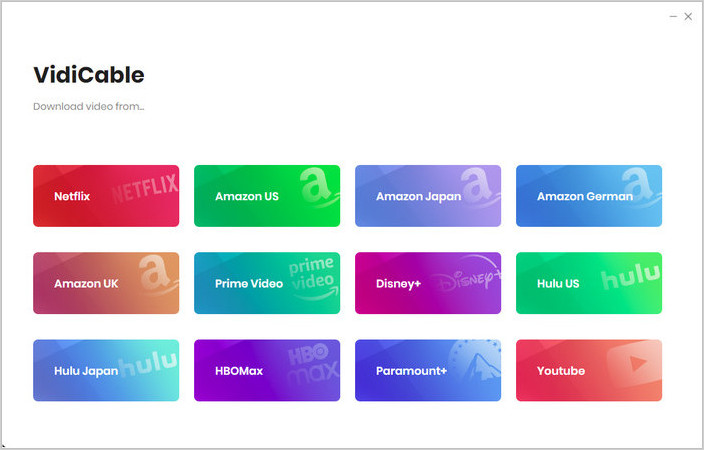
Step 1 Select Website
On the main interface, click the  icon on the upper right. Then choose one of the platforms, like Netflix. The built-in browser will open and take you directly to Netflix's official website.
Click "More Sites" to explore 1,000+ supported websites, sorted by name or genre.
Step 2 Customize Download Settings
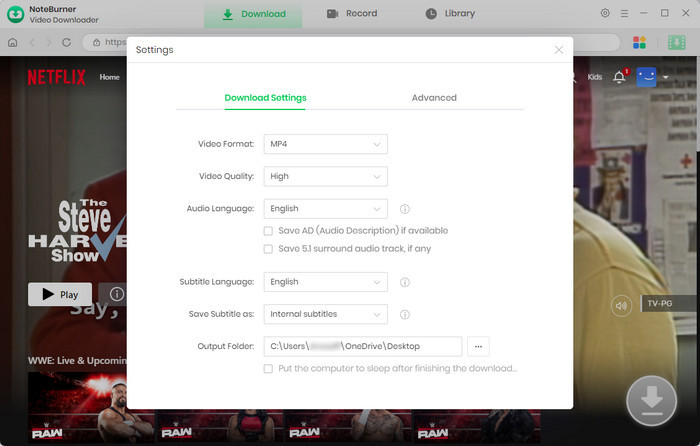
Click the  button in the upper right corner to customize the video quality, video format (MP4, MKV), and output path.
Step 3 Add Preferred Movies
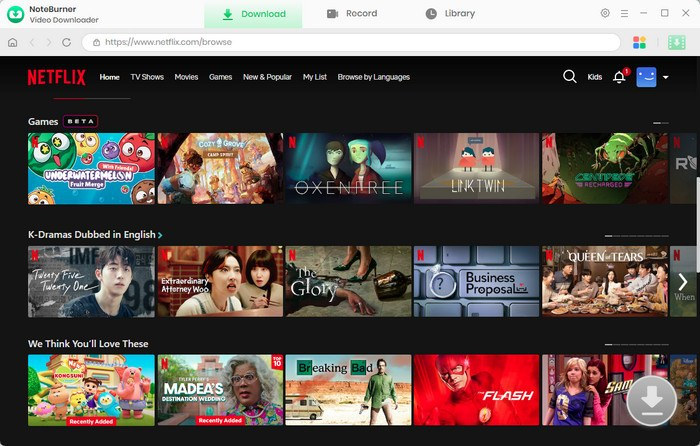
You can enter a keyword or the full name of the movie you're looking for in the search box. A list of matching results will appear shortly. You can also browse through categories or featured content to find the content you want to download.
Step 4 Customize Video Quality and Subtitles
After locating the movie you wish to download, click the  icon. A pop-up window for you to choose the specific video quality, audio tracks, and subtitles.
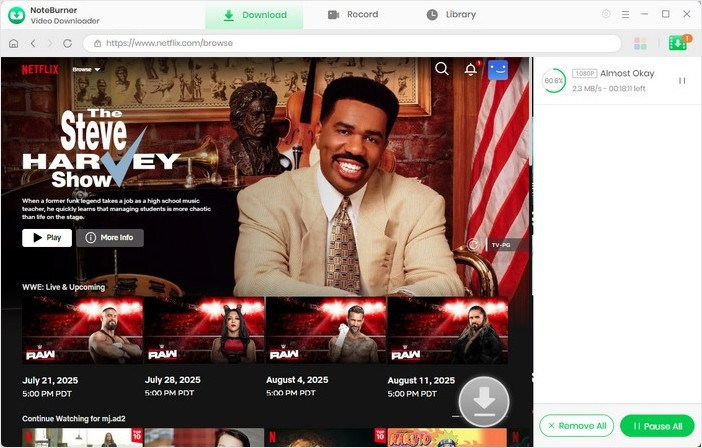
Step 5 Start Downloading Video to Computer
Now, simply click the "Download" icon to start downloading the video to the output folder you selected in the previous step.
Step 6 Find the Downloads
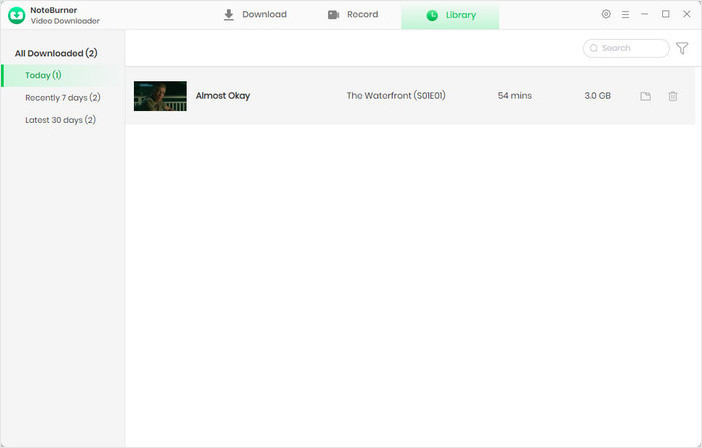
Go to the "Library", and you will see all the downloaded videos are organized by download date. Click to play them directly or click the "Folder" icon to open the file location.
For videos from websites that don't allow direct downloads, you can use NoteBurner's HD recording tool, which allows you to record streaming videos from almost any website at 8X speed.
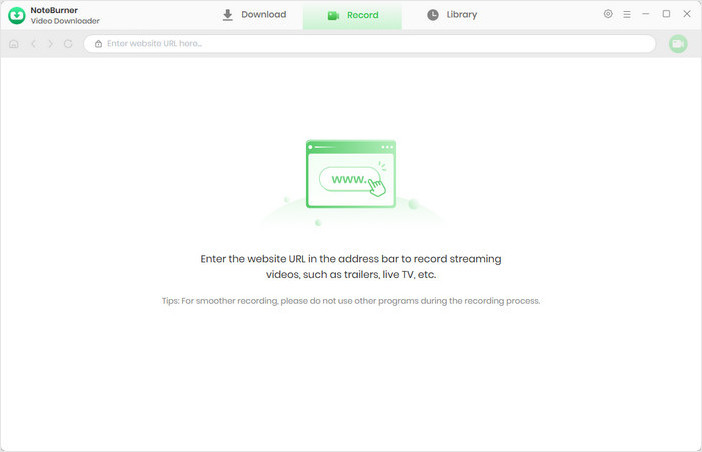
Step 1 Go to the top menu and click on "Record", and you will see a simple and concise interface. Then, copy the video's webpage URL and paste it into the search field.
Step 2 Go to the video you want to record and open its playback page.
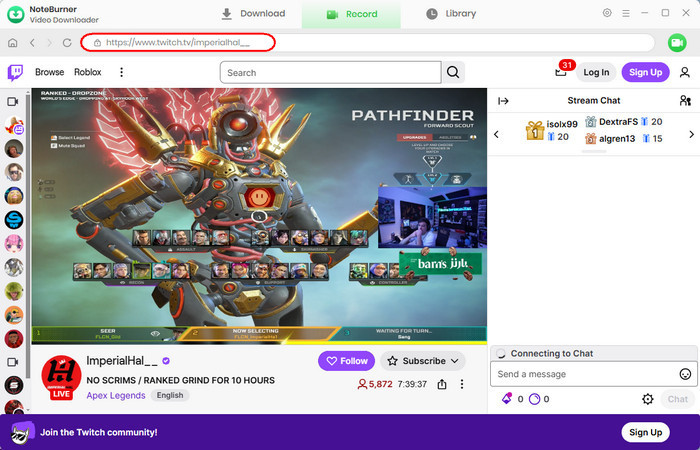
Step 3 Click the "Record" icon at the top-right corner, and a recording settings window will pop up. You can customize the Output Quality (up to 1080p), Record Speed (up to 8X), and other auto stop times.
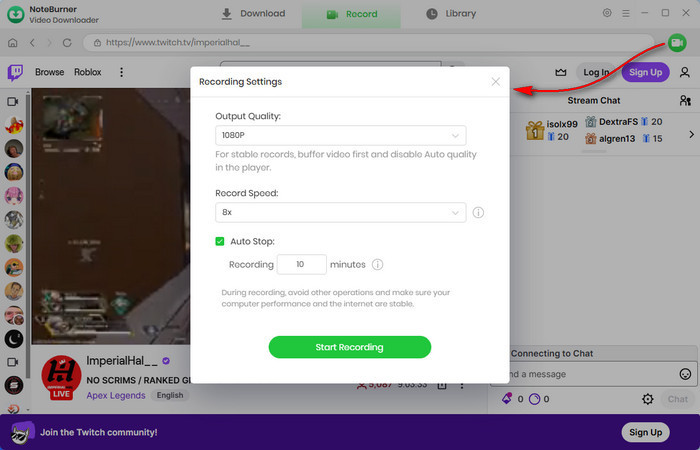
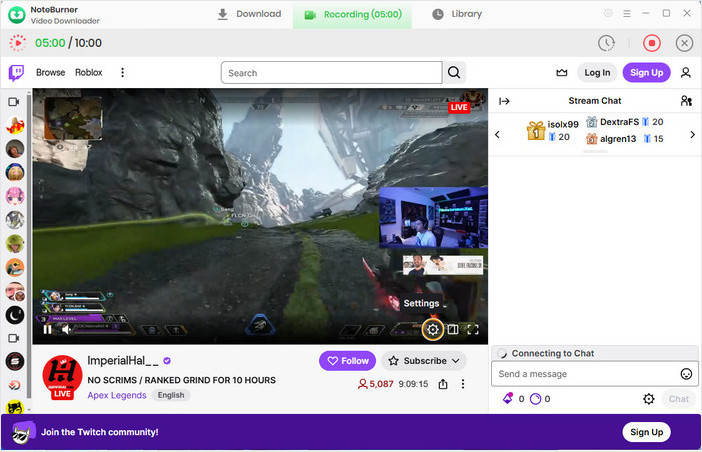
Step 4 Click the "Start Recording" button, and NoteBurner will begin the recording process. If Scheduled Auto-Stop is enabled, NoteBurner will automatically stop and save the recording when the set time is reached, and you can view it in the "Library". If not, click the "Pause" button to stop and save the recording manually.
Disclaimer: For personal/educational use only. 🚫 Do not distribute downloaded music/video for commercial use.
This article will teach you how to get Amazon Prime free trial and download your Amazon videos as MP4/MKV files to keep them forever.
A: Yes—many free movie apps are completely legal, as long as they have proper licensing agreements with studios and distributors. Platforms like Tubi, Pluto TV, and Plex stream movies and TV shows legally by showing ads during playback.
However, some unofficial apps or websites may distribute copyrighted content without permission. These platforms can carry legal risks, security threats, or malware, so it’s best to stick with well-known, licensed streaming services.
A: Some apps claim to offer free movies but actually provide pirated content or contain malware. To stay safe:
A: Most free movie apps do not allow downloads because of licensing restrictions. If you want to watch movies offline, you may need to use the official download feature from paid streaming services or a reliable video downloader like NoteBurner.
A: Not completely. Most free movie apps rely on ads to support their service, so ads are usually built directly into the video stream and cannot be fully blocked.
In some cases, you can reduce ads by using browser ad blockers (such as uBlock Origin) when watching through a web browser. System-level ad blockers or DNS filters may also block some banner or pop-up ads in apps.
However, for many FAST streaming platforms, video ads are part of the stream itself, which means they generally cannot be removed entirely without affecting playback.
A: Usually not. Most free movie streaming apps focus on older films, classic titles, and previously released TV shows rather than brand-new releases.
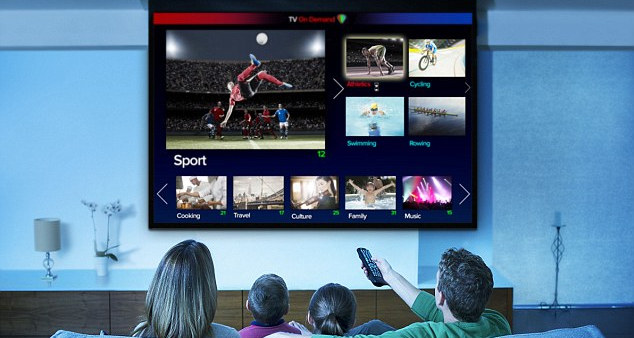
Want to watch Netflix videos on TV? Read the article to get 8 different yet efficient methods to stream Netflix videos on TV with ease.
After exploring the top free movie and TV streaming apps, comparing their features, and learning handy tips for offline viewing, you’re now fully equipped to make the most of your screen time. Whether you’re hunting for the latest blockbuster or a hidden classic, these apps put the world of entertainment at your fingertips. Explore, watch, and enjoy!
Note: Only the first 5 minutes of each video can be downloaded with the trial version. Please purchase a license to access full downloads. We recommend testing the trial version before making a purchase.