Crunchyroll is every anime fan’s go-to streaming platform, but there’s a catch — its official downloads are only available to premium users and those using mobile apps. That leaves many fans wondering how to watch their favorite episodes offline on PC, tablets, or other devices, especially while traveling or when the internet is unreliable. In this guide, we’ll show the top Crunchyroll downloaders to save anime offline and keep your favorite anime at your fingertips.

>>> You May Be Interested: 9 Best Free Anime Download Websites
Choosing the right Crunchyroll downloader can save you time and ensure you get the best video quality, subtitles, and playback compatibility. The comparison table below highlights the top tools side-by-side, making it easy to see which downloader offers the features you need. For full reviews, pros and cons, and step-by-step tutorials, continue to Part 2 for a complete breakdown.
NoteBurner Crunchyroll Video Downloader (also known as NoteBurner All-In-One Video Downloader) is a professional, long-established video downloading solution with roots dating back to 2006. It enables users to download Crunchyroll videos for offline viewing, permanently save episodes, and transfer them to any device without restrictions.
| Supported Sites | Formats | Quality | Speed | Audio & Subs | Extras |
|---|---|---|---|---|---|
|
1000+ Platforms Crunchyroll Netflix, Prime |
MP4 / MKV |
Up to 1080P 8K for YouTube |
5× Faster | Multi-language 5.1 Dolby |
Built-in Video Player, Batch Download |
With the features covered, let’s walk through how to use NoteBurner to download Crunchyroll anime to MP4. The process is straightforward, and even first-time users can complete it with ease.

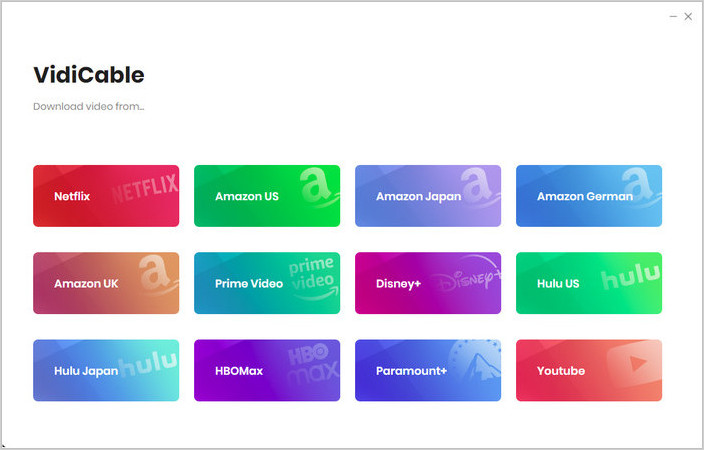
Step 1 Select Website
On the main interface, click the  icon on the upper right. Then scroll down to find and click on Crunchyroll. The built-in browser will open and take you directly to Crunchyroll's official website.
Step 2 Adjust the Output Settings
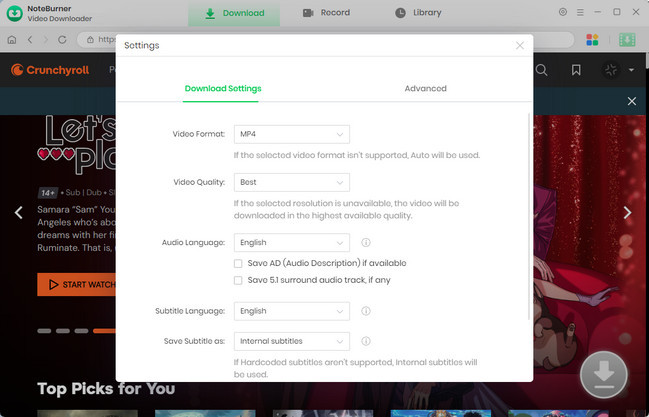
Click the gear icon at the top-right corner. Choose your preferred output format (MP4), video quality (up to 1080p), subtitles, and output folder before downloading.
Step 3 Find the Crunchyroll Video You Want to Download
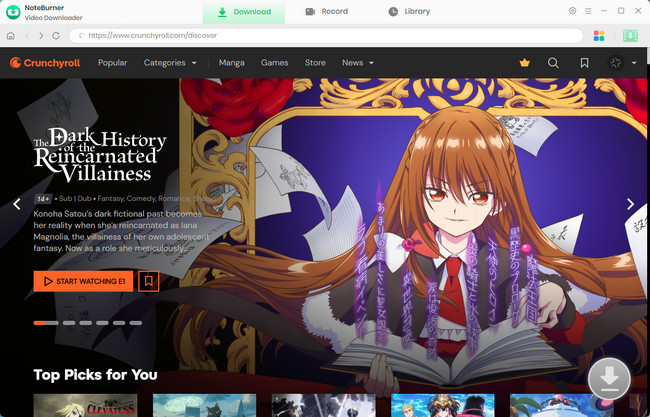
Browse Crunchyroll inside the embedded browser and open the Anime episode you want to save. Then, click the download icon to parse the video link.
Step 4 Select Video Quality and Download Options
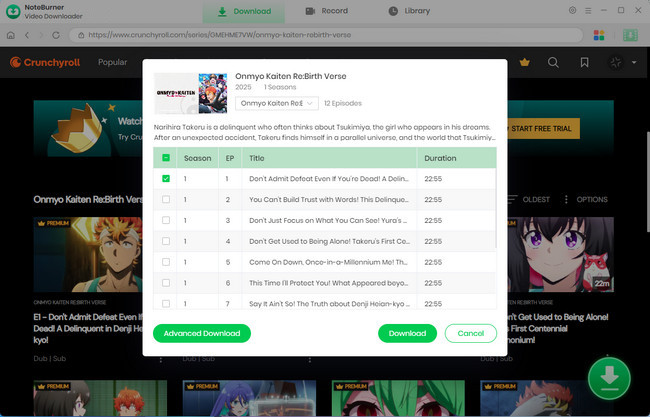
Click the  icon and select all the episodes you want to download. Then, click "Advanced Download" in the bottom-left corner to customize the video quality, audio quality, and subtitle options.
If you prefer to download only the audio, select "Download as Audio". NoteBurner also offers the option to download subtitles as separate files; just choose "Download as Subtitles".
Step 5 Download Crunchyroll Movies and Shows
Click the "Download" button to begin saving the video to your PC or Mac. If you want to download more titles, simply repeat the steps to add them to the task queue — NoteBurner will download them in order at a fast speed. After the download is complete, go to the "Library" tab to view your history. Open the output folder to find your MP4 files and enjoy Crunchyroll movies and shows offline anytime.
Disclaimer: For personal/educational use only. 🚫 Do not distribute downloaded music/video for commercial use.
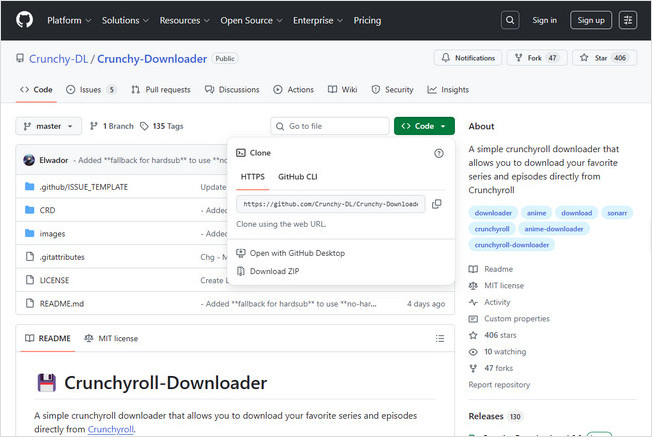
Crunchy-DL is a community-built tool that lets you download Crunchyroll episodes and full series for offline playback. It supports multiple audio and subtitle tracks and offers convenient features like episode lists and download history to make managing your library easier. However, to access premium episodes, you still need a valid Crunchyroll Premium account, and all downloads must be for personal use only to stay within Crunchyroll’s Terms of Service. Since Crunchy-DL is an open-source project, it’s best suited for users comfortable with basic technical setup.
| OS | Formats | Quality | Speed | Requirements | Subtitles & Audio |
|---|---|---|---|---|---|
| Windows 10 / 11 | MP4 | Quality may be reduced | Medium | .NET Runtime 10.0 VC++ 2015–2022 |
Multi-language Subs Multiple Audio Tracks |
This article lists over 10 tested, stable, and safe free anime websites, where you can watch the latest anime episodes online in HD easily.
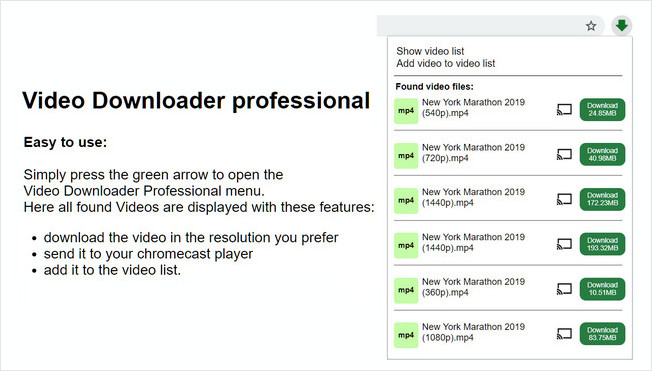
Video Downloader Professional is a popular browser extension that lets you download videos from websites, including Crunchyroll, for offline viewing. Once installed, you simply play the anime episode and click the extension icon to detect and save the video. It also supports multiple resolutions, Chromecast playback, and a built-in video list for quick access without revisiting the original webpage. However, due to Chrome Web Store restrictions, some DRM-protected content may be partially downloadable, making it more suitable for users who want a simple, one-click solution without advanced configuration.
| OS / Browser | Formats | Quality | Speed | Subtitles & Audio | Extras |
|---|---|---|---|---|---|
| Chrome / Firefox Extensions | MP4 | Up to 1080P | Medium |
Captures embedded video only No soft subtitles or multi-audio |
Multi-resolution downloads Lightweight & ad-free |
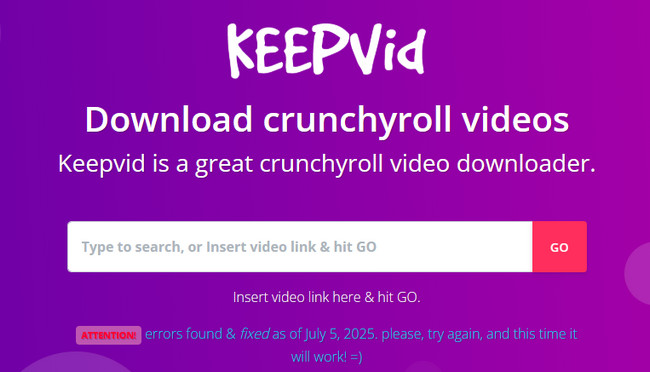
Keepvid is a fast and reliable Crunchyroll video downloaders online that lets you save anime episodes directly from Crunchyroll without installing any software. Simply copy the episode URL from your browser, paste it into Keepvid, and hit GO. It automatically detects all available formats and bitrates, allowing you to choose the one you prefer. With no subscription required, unlimited downloads, and an intuitive interface, Keepvid is perfect for users seeking a hassle-free way to download Crunchyroll videos instantly.
| Platform | Formats | Quality | Speed | Subtitles & Audio | Extras |
|---|---|---|---|---|---|
| Web Browser (No Installation) |
MP4, WebM | Quality may be reduced | Medium |
Original audio included Subtitles as in source |
Unlimited free downloads No subscription required |
🛡️ KeepVid down? Try NoteBurner — stable, fast, and saves time!
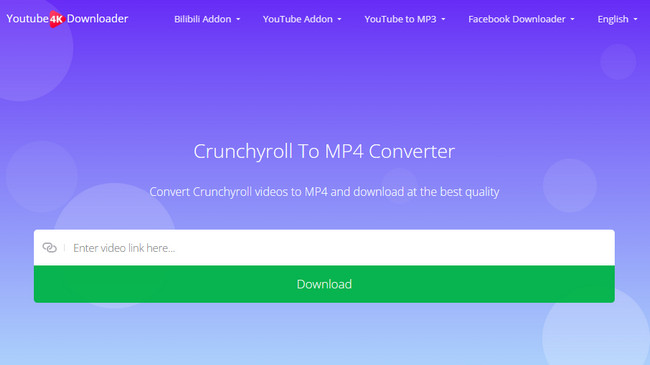
Youtube4KDownloader is a free and powerful tool designed for users who want a fast, reliable, and hassle-free way to save Crunchyroll episodes in MP4. As one of the best Crunchyroll MP4 downloader online free, it lets you paste a video link and instantly fetch all available resolutions, from SD to Full HD and even 4K, directly in your browser with no software installation.
| Platform | Formats | Quality | Speed | Subtitles & Audio | Extras |
|---|---|---|---|---|---|
| Web Browser | MP4, MP3, WebM |
Up to 4K Quality may drop on some sources |
Fast (Multi-threaded) |
Original audio included Subtitles depend on source video |
1000+ supported sites |
You can only play Netflix videos within the app on your phone by default. But luckily, this page will show you a different way to play Netflix movies & TV shows without the app.
Crunchyroll Video Downloader is a free Crunchyroll video downloader online that makes it easy to save Crunchyroll anime offline in multiple formats without installing any software. Simply paste the video link, and the tool converts it on the server into MP4, MP3, or dozens of other video and audio formats. With support for 200+ sites and fast, platform-independent processing, it's a practical solution for users who want a quick and flexible way to download Crunchyroll content.
| Platform | Formats | Quality | Speed | Subtitles & Audio | Extras |
|---|---|---|---|---|---|
| Browser-based |
MP4, MP3, AVI, MOV, FLV, WebM, AAC, OGG, M4A, FLAC, etc. |
Quality varies; may be reduced | Medium |
Audio conversion supported No guaranteed subtitle extraction |
Supports 200+ sites Free unlimited conversions |

💎 Online Video Downloader gives low-quality downloads? Switch to NoteBurner — high-quality, fast, and hassle-free!
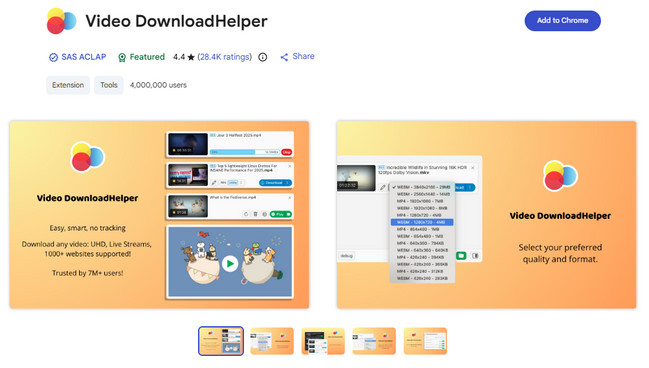
Video DownloadHelper is a versatile browser extension that lets users download Crunchyroll videos with browser extensions directly in Chrome, Firefox, or Edge. Once a video starts playing, the extension automatically detects downloadable streams. You can select from multiple formats like MP4, MKV, WebM, or MP3, and resolutions from 480p to 1080p. Some videos may require an optional companion module, but once installed, Video DownloadHelper provides a fast, convenient solution to save Crunchyroll anime directly from the browser.
| Platform | Formats | Quality | Speed | Subtitles & Audio | Extras |
|---|---|---|---|---|---|
| Chrome / Firefox / Edge | MP4, MKV, WebM, MP3 | Up to 1080p (depends on source) |
Medium |
Original audio included Subtitles as in source |
Detects playable streams automatically Multiple downloads & playlists |
You cannot move a YouTube video to a USB drive using the internal program, yet you can download it and move it to a USB drive. This article tells you how to move videos from YouTube to a USB drive with NoteBurner Video Downloader.
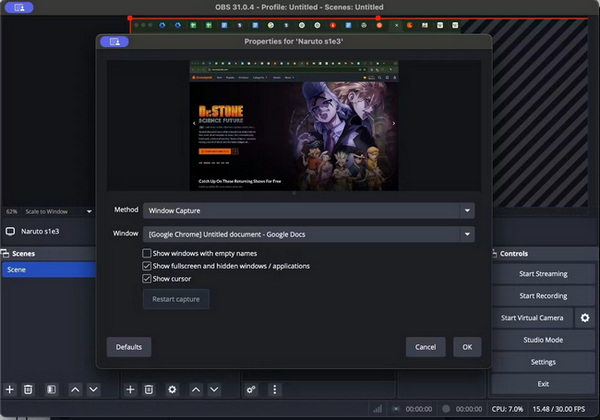
OBS Studio is a free and open-source tool that lets users record Crunchyroll episodes in MP4 when downloading isn’t available. It works on Windows, macOS, and Linux, capturing both video and system audio. With OBS, you can record episodes at up to 1080p and 60 FPS, making it ideal for personal use and offline viewing. Its flexible scene management and integrated audio mixer provide precise control over recording quality.
| Platform | Recording Format | Quality | Speed | Audio & Features | Extras |
|---|---|---|---|---|---|
| Windows / macOS / Linux | MP4 (recommended) | Up to 1080p at 60 FPS | Real-time recording |
Captures system sound; Records video with on-screen subtitles |
Flexible scene & source switching |
A: Most Crunchyroll download problems come from outdated apps, unstable networks, or temporary glitches. Updating the Crunchyroll app and your device system usually resolves compatibility issues. If a download stalls, restarting the app or device often clears the stuck cache. Switching to a stronger Wi-Fi connection can also improve stability. When all else fails, trying the download again one episode at a time is the simplest and most effective fix.
A: Many downloaders struggle because Crunchyroll updates its streaming encryption, which can cause tools to miss episodes or fail midway. Online converters may also compress videos, resulting in reduced quality compared to the original 1080p stream. If you need stable results, choose a professional downloader like NoteBurner that supports Crunchyroll anime Full HD downloads.
A: On your phone, simply open the Crunchyroll app with a Premium account, find the episode you want, and tap the download icon. The video will be saved for offline viewing.
Tip: If you want to watch Crunchyroll videos offline on different devices, the official app doesn’t support this, but you can use NoteBurner to download Crunchyroll episodes as MP4, which makes transferring and playback across devices much easier.
A: Downloading Crunchyroll videos with subtitles is possible, but it depends on the method you use. Most online downloaders focus on saving the video itself, so they often don’t include soft subtitles. If you want subtitles embedded, a desktop downloader is usually a better choice, as many support hard-coded subtitles or multi-language tracks.
A: Downloading from Crunchyroll depends on the method used. Using the official Crunchyroll app or website to download content for offline viewing is fully legal and supported. When it comes to third-party tools, legality becomes less clear. Generally, downloading for personal or educational use may not attract legal issues, but distributing or using the content commercially is considered illegal. Always make sure to respect copyright rules and Crunchyroll’s terms of service.
Here, we will show you how to download Stranger Things seasons 1 to 5 as local files for offline playback without limits on any device.
If you’ve ever wished you could watch your favorite anime without buffering, ads, or unstable Wi-Fi, you’re definitely not alone. That’s why this guide breaks down the most reliable Crunchyroll downloaders to help you quickly find a stress-free way to watch offline.
With the comparison table and simple explanations above, it’s easy to choose the method that fits your routine. Once you try the one that feels right, you’ll see how effortless it is to download Crunchyroll episodes and enjoy anime offline anytime you want.
Note: Only the first 5 minutes of each video can be downloaded with the trial version. Please purchase a license to access full downloads. We recommend testing the trial version before making a purchase.