As the largest global video search and sharing platform, YouTube has amassed an impressive user base of over 2.5 billion people worldwide. It serves as a space where users can showcase their talents, humor, and various interests by uploading videos for a wide audience to enjoy. YouTube provides a download function for Premium members to save their favorite videos. What if you don't have a Premium account?
The answer is that you can still download YouTube videos even without a Premium subscription! By utilizing reliable third-party video downloaders, you can easily solve this inconvenience. To assist you further, we have compiled a list of 10 best YouTube video downloaders including online tools and stable apps that are capable of saving HD videos. These tools will enable you to download and enjoy YouTube content offline, regardless of your YouTube plan.
With so many YouTube video downloaders available today, choosing the right one can be difficult. Some tools focus on high-quality downloads, while others offer playlist support, faster speeds, or broader website compatibility. To help you save time, we’ve compared some of the best YouTube video downloaders below. Check it now!
| Tool | Ratings | Max Quality | Playlist Download | Supported Sites | Output Formats | Price | Main Drawback |
|---|---|---|---|---|---|---|---|
| NoteBurner YouTube Video Downloader | ★★★★★ | 8K | Yes | YouTube & 1000+ Websites | Video & Audio | Free | No mobile version |
| BigConverter | ★★★★ | 1080P | No | YouTube | MP4 | Free | Popup ads |
| CatchVideo | ★★★★ | 720P | No | YouTube, Vimeo, Facebook | Video & Audio | Free | Slow speed & 720P limit |
| SnapDownloader | ★★★★ | 8K | Yes | 900+ Websites | MP4, MP3, AVI, AAC, etc. | Paid (Trial) | Not free |
| Y2mate | ★★★ | HD | No | YouTube, Facebook, Vimeo | MP4, AVI, FLV, MP3 | Free | Many ads & security concerns |
| ClipGrab | ★★★ | 1080P | No | YouTube, Facebook | MP3, MPEG4, WMV | Free | Ads after installation |
| Free YouTube Download | ★★★ | 8K | Yes | YouTube | MP4, AVI, MOV, MP3 | Free | Daily download limit & ads |
| iTubeGo | ★★★ | 8K | Yes | 1000+ Websites | Multiple Formats | Paid (Trial) | Limited free trial |
| YTD Video Downloader | ★★★ | HD | Yes | 50+ Websites | WMV, MP3, MOV, MP4 | Paid (Trial) | Slow free version with ads |
| 4K Video Downloader | ★★★ | 4K | Yes (Limited Free) | YouTube, TikTok, Instagram | MP4, MKV | Free & Paid | Feature limitations in free version |
Ratings ★★★★★
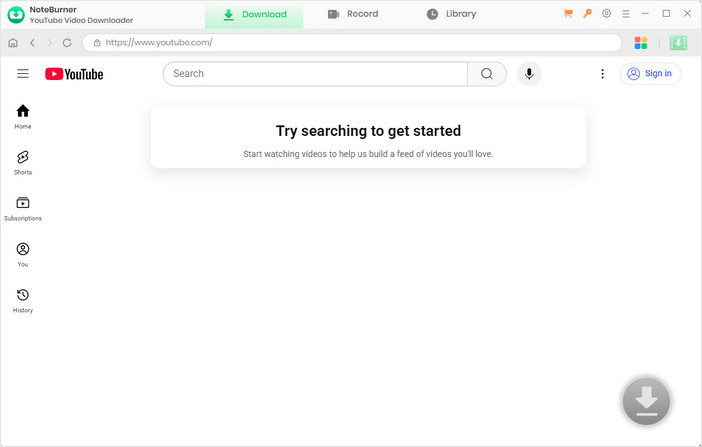
NoteBurner YouTube Video Downloader a powerful and user-friendly tool designed to facilitate quick and easy downloads of YouTube videos. This remarkable tool is dedicated to providing users with a free and easy downloading experience, without any bundled software or additional charges. Not only does NoteBurner allow you to download individual videos, but it also supports the download of entire YouTube playlists or even audios if desired.
What distinguishes NoteBurner from other YouTube Video Downloaders in the market is its exceptional support for downloading videos of up to 8K quality, all at no cost to the user. To initiate a download, simply copy and paste the link of the desired 8K video into the search box, press Enter on your keyboard, and voila! Your video will begin downloading instantly. Within a matter of minutes, you can enjoy YouTube videos without any limitations or compromises.
Notes: The maximum video quality NoteBurner can download depends on the highest definition available for the original video on the web page.
NoteBurner YouTube Video Downloader is compatible with both Windows and Mac systems. You can start by downloading the software onto your computer. Please find a step-by-step guide below to assist with the installation process. We take the Windows version as example here.
First of all, please launch NoteBurner YouTube Video Downloader on your computer. Note that you have no need to log into your YouTube account.
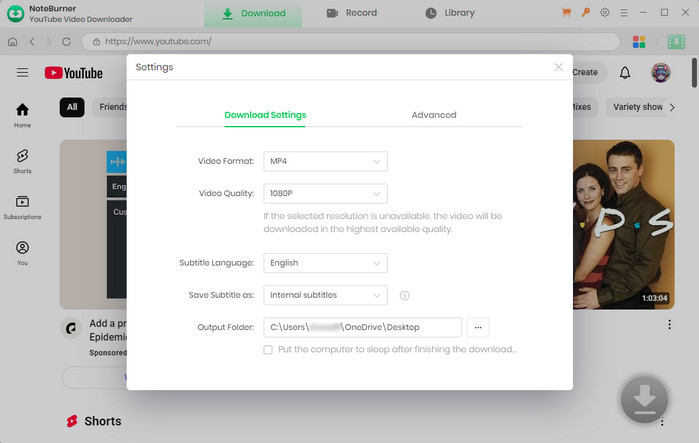
Before adding your target video, simply click the gear icon in the top-right corner to access to the Setting window. Here you can customize the output settings according to your preference.
NoteBurner allows you to select the video quality, subtitle language, simultaneous download, and output path in the Setting window.
There are two very simple ways to help you locate the video you want to download.
1. Simply input the title into the search box, soon the program will list all associated videos.
2. Find your target video from the YouTube page, copy and paste the link into NoteBurner's search box. This approach will help you locate the video in the quickest and most accurate way.
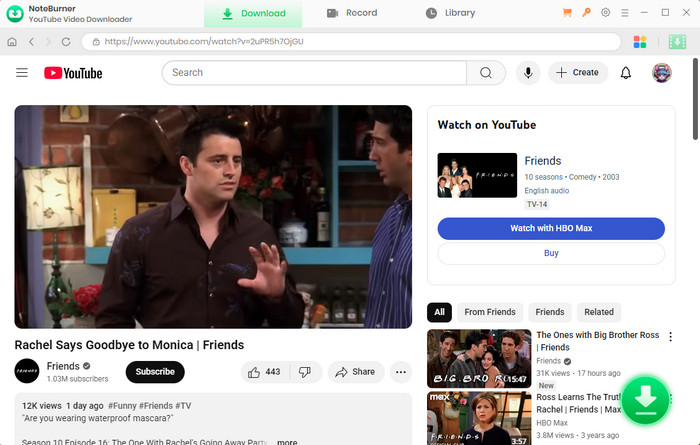
Once you find the video you want to download, hit the  icon. A window will then pop up, allowing you to customize the video quality, audio quality, and subtitles of the video.
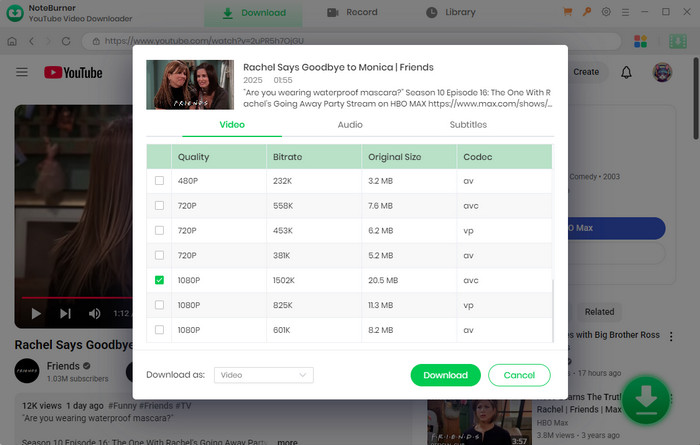
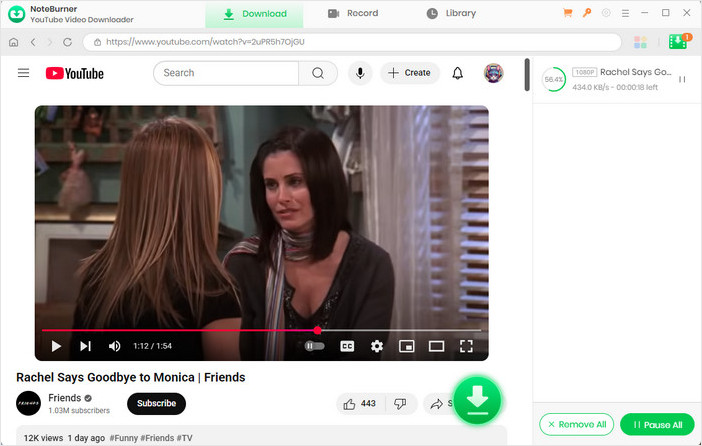
After finishing above steps, now just press the download button and wait until a pop-up prompting you that the download is complete. The "Library" stores all your downloaded YouTube videos.

Is NoteBurner YouTube Video Downloader worth using? Discover its key features, download quality, speed, pricing, pros and cons, and our hands-on review.
Ratings ★★★★
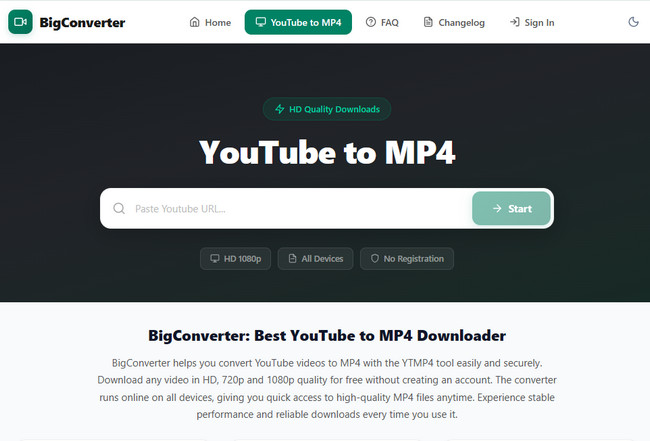
BigConverter is a free online YouTube video downloader that focuses on converting YouTube videos to MP4 format. It allows users to quickly paste a YouTube link and download videos directly through the browser without installing any software, making it convenient for casual users.
BigConverter supports downloading YouTube videos in multiple resolutions, with the highest quality reaching 1080P HD. It also offers relatively fast URL parsing and download speed compared to many other free online downloaders. However, the tool only supports MP4 output and does not provide playlist downloading features. In addition, users may occasionally encounter popup advertisements while using the website.
Ratings ★★★★
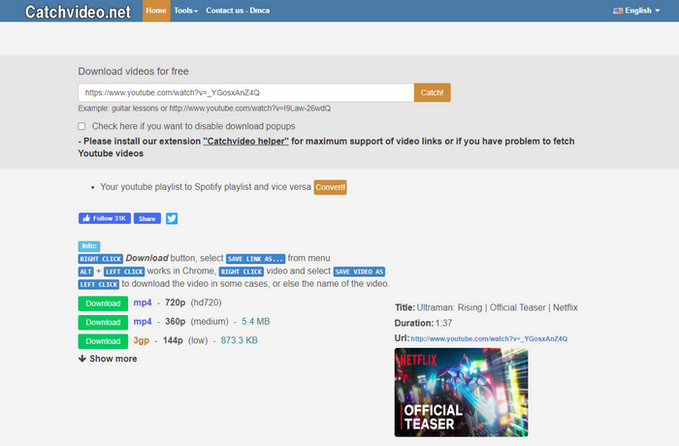
CatchVideo Downloader is a free online video downloader, which also has a extension application for desktop, designed to assist you in capturing videos from a variety of platforms, including YouTube, Vimeo, Facebook, and other online streaming video websites. It boasts a user-friendly interface, allowing you to effortlessly save videos in various qualities.
Simply paste the original video URL, select your preferred video format, and with a simple click on the download button, the download process begins promptly. However, please note that the download capability of this platform is limited to YouTube videos with a maximum resolution of 720P. This means that even if you provide a link to a 4K video, the downloaded video will be in 720P resolution.
Ratings ★★★★
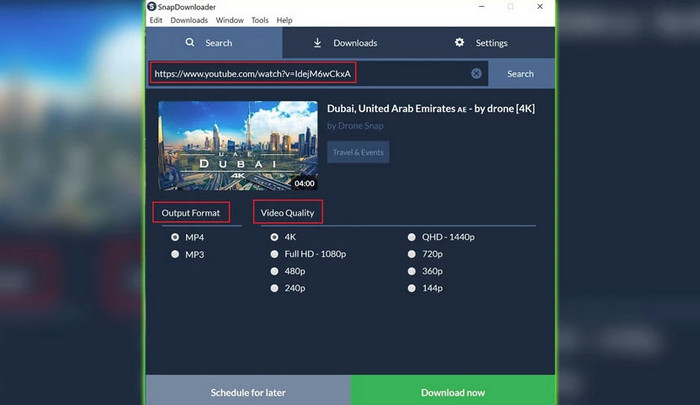
SnapDownloader is a chargeable video downloader which enables you to acquire videos from YouTube and over 900 additional websites at resolutions of up to 8K. It also offers a free 48 hours trial for users to test out the program. You are able to convert videos to MP4, MP3, AVI, WMA, AAC or many other output formats with SnapDownloader. Moreover, it supports downloads for YouTube playlists, channels, as well as chapters.
One of its greatest features is that the software comes with its own in-built video trimmer, providing users with a convenient tool for editing and customizing their videos. This feature lets users choose and download only the parts of the video or audio they need, making sure they get exactly what they want.
Ratings ★★★
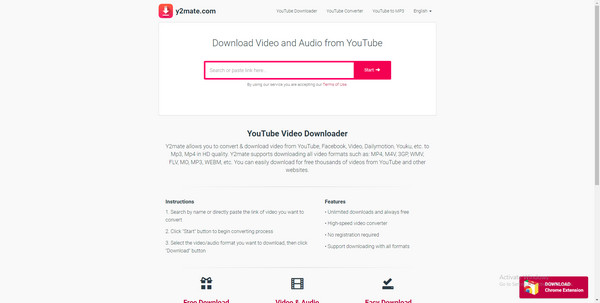
Y2mate is an online video downloader and converter that can download videos from YouTube in MP4 format while concurrently converting them into MP3, providing a convenient dual functionality. It also enables limitless downloads of both high-definition and standard-definition videos, allowing you to search for your preference videos by keywords, names, and URLs.
One great feature of the Y2mate app is its compatibility with any device connected to the internet. This online application also allows you to download videos or extract audio from various platforms, including YouTube, Facebook, Vimeo, Dailymotion, Youku, and more.
Ratings ★★★
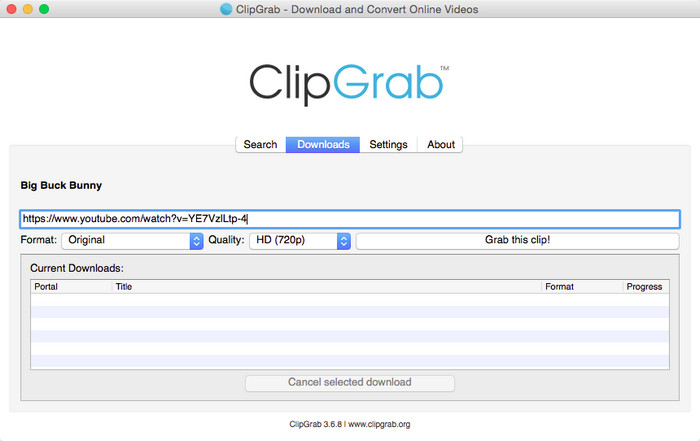
ClipGrab Video Downloader is an easy-to-use and convenient YouTube video downloader designed to effortlessly download and convert videos from YouTube and other websites like Facebook. It allows you to download videos in multiple formats, including MP3, MPEG4, and WMV.
You can select the video quality, supporting download resolutions ranging from SD to HD (240P to 1080P). Additionally, it features a clipboard monitor that helps to automatically detect and download videos.
Ratings ★★★
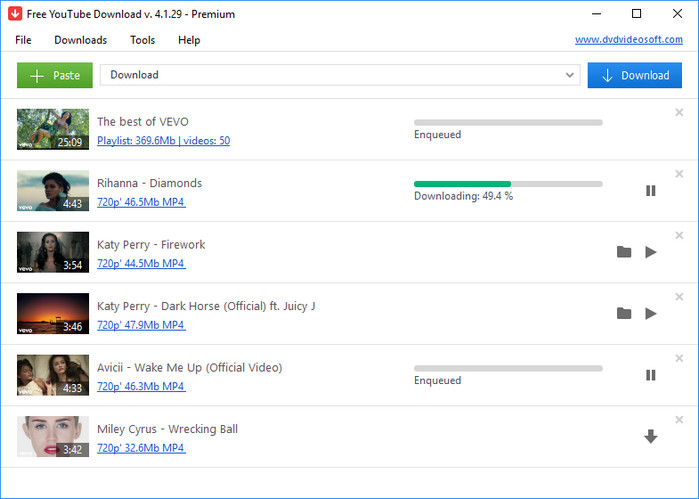
Free YouTube Download a useful free video downloader that supports batch downloading videos in high-quality from YouTube and converting them into different formats. The application boasts a multilingual interface, providing advanced features like downloading YouTube Shorts, channels, playlists, subtitles, and more.
One of Free YouTube Download's most popular features is that you can download videos in Full HD, 4K, or even 8K resolution for free, and you can download multiple links at the same time. However, one more troublesome point is that there may be some pop-up ads inside the programme.
Ratings ★★★
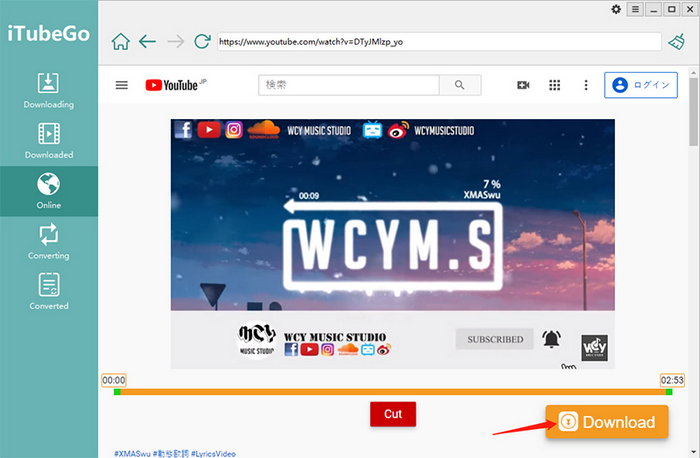
iTubeGo is a multi-functional chargeable YouTube video downloader, allowing for downloads from over 1,000 websites. Although it provides a free trial version, the trial version can only download 3 videos and audios and convert 3 songs from Spotify, Deezer, Apple, and Amazon Music. Only by purchasing a license can all features be unlocked.
iTubeGo supports various resolutions including 720P, 1080P, 4K, and 8K, and supports downloading playlists, audio, channels, and videos. In addition to featuring its built-in converter tool, the software also boasts an integrated browser and an editing tool.
Ratings ★★★
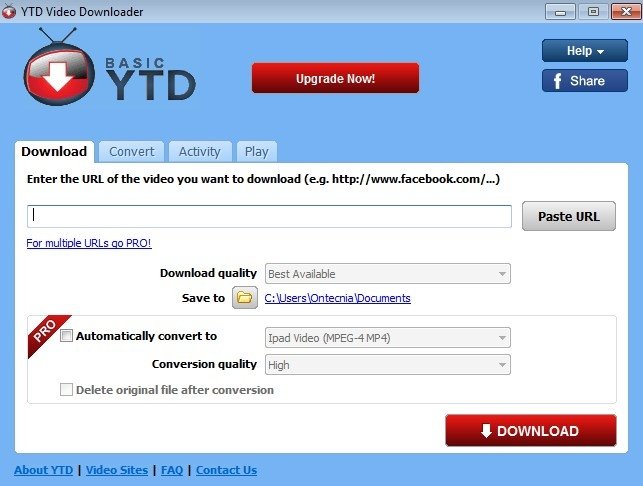
YTD Video Downloader is an efficient software and works with 50+ websites, providing you with multiple options to enjoy your favorite content. It allows users to convert videos to different file formats, including WMV, MP3, MOV, and MP4. With YTD Video Downloader, you’re able to start downloading your entire playlist with just one click. In addition to a downloader, YTD can also be used as a video player. It is an efficient video player as it supports multiple formats.
Ratings ★★★
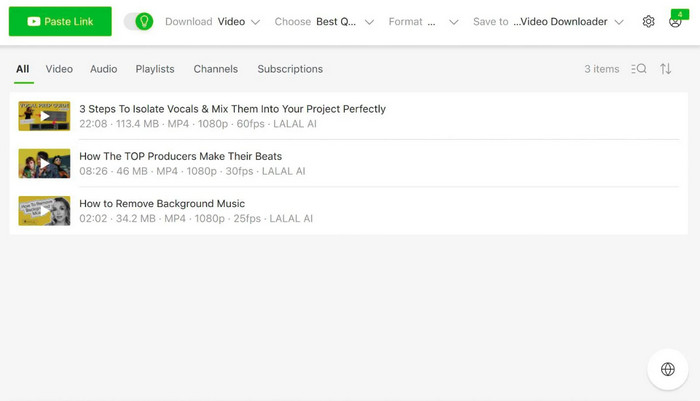
4K Video Downloader, a comprehensive 4K video downloading software, empowers you to effortlessly preserve videos, audio, playlists and subtitles from various video sites such as YouTube, TikTok, Instagram, and more, all in superior high-quality up to 4K. Also, you have the flexibility to download videos in either MP4 or MKV file formats.
The program offers two versions, paid and free, with different features. You need a subscription to remove various limitations of the free version and unlock all its features.
After reading the above introduction of the ten best YouTube video downloaders, have you identified the optimal choice for your needs? Overall, the highly recommended option is NoteBurner YouTube Video Downloader, in terms of features, performance and usability. This versatile tool allows you to download YouTube videos in resolutions up to 8K at no cost, and it also supports downloading YouTube music and playlists. Waste no time —— install the YouTube video downloader that best suits your needs now!