>
YouTube Tips >
>
YouTube Tips >
Is YouTube Multi Downloader really a reliable free YouTube downloader? I tested it with a variety of YouTube videos to see how it performs beyond its advertised features. In this YouTube Multi Downloader review, I’ll break down its actual download performance, quality, speed, and overall user experience.
YouTube Multi Downloader is a free online YouTube downloader that lets users download YouTube videos and audio directly from a web browser. According to its official website, the tool supports individual videos and playlists, offers MP4 and MP3 downloads in HD or SD quality, and works across desktop and mobile devices without requiring software installation.
The official site also highlights features such as bulk video downloads, playlist support, fast download speeds, and a simple URL-based workflow. To use it, you simply paste a YouTube video or playlist URL, select the available format and quality, and click the download button. These features make it sound like a convenient option for quick YouTube downloads. But how well do they actually work?
In the following sections, we’ll put these advertised features to the test, including download success rate, speed, video quality, playlist and batch downloading, and overall usability.
To make our YouTube Multi Downloader review as objective and repeatable as possible, we tested the tool under consistent conditions. We randomly selected YouTube videos and playlists and tested different download scenarios, formats, and available video qualities.
| Testing Item | Details |
|---|---|
| Tool | YouTube Multi Downloader |
| Operating System | Windows 11 Pro 24H2 (64-bit) |
| Web Browser | Google Chrome |
| Internet Connection | 500 Mbps Fiber Broadband |
| Output Formats | MP4, MP3 |
| Video Quality | 1080p, 4K, 8K where available |
| Download Scenarios | Single Video, Audio-only, and YouTube Playlist Downloads |
| Test Sample | 60 randomly selected YouTube videos, shorts, plus multiple playlists |
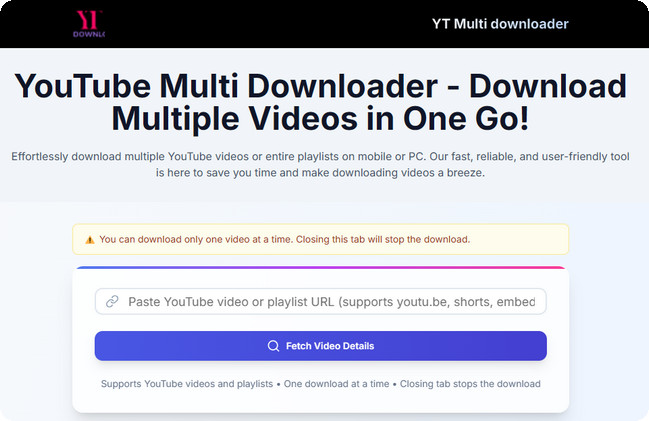
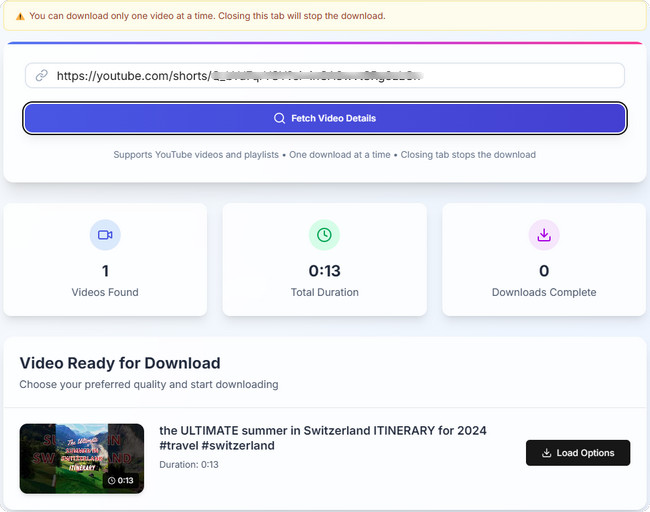
Step 1 Go to YouTube, copy the URL of the video or playlist you want to download, and paste it into YouTube Multi Downloader. Click "Fetch Video Details" to start analyzing the link.
Step 2 Once the URL has been processed, the tool will display the detected YouTube content. Click "Load Options" to view the available download choices.
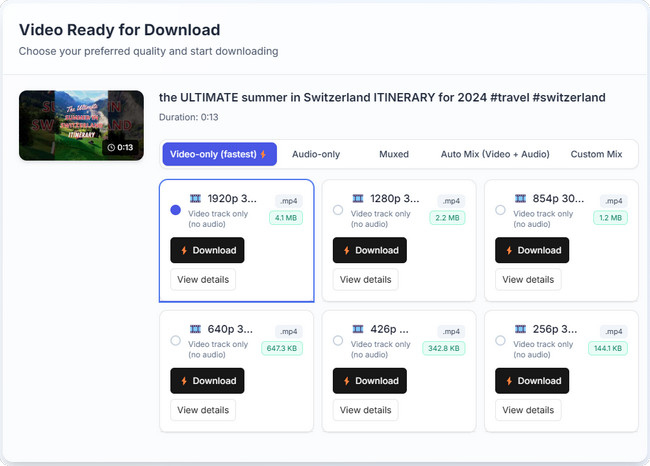
Step 3 You can then browse the available options and choose among video-only , audio-only or Mix downloads. Depending on the source, different quality options may be available.
Step 4 Click the "Download" button for your selected option. Instead of downloading the file immediately, YouTube Multi Downloader redirects you to another page. On that page, click "More" in the lower-right corner of the video player, then select "Download" to start the download.

YouTube Multi Downloader promotes itself as a free online YouTube downloader with support for video and audio downloads, playlists, multiple formats, and different quality options. To see how these claims hold up in practice, we tested the tool with 60 randomly selected YouTube videos and multiple playlists.
| Feature | Official Claims | Our Test Results |
|---|---|---|
| Video Download | Download YouTube videos online without installing software. | Partially successful. Only 13 out of 60 tested videos could be downloaded successfully. |
| Audio Download | Supports audio-only downloads. | Audio-only options were available, but download reliability was inconsistent during testing. |
| Download Success Rate | Promoted as a fast and convenient downloader. | 13/60 videos (21.7%) were successfully downloaded in our test sample. |
| Video Quality | Supports HD and SD quality options. | The highest quality option we encountered was 1920p. 4K and 8K videos generally did not provide corresponding 4K or 8K download options. |
| Output Formats | Supports MP4 and MP3 downloads. | The available options we encountered were MP4, M4A, and WEBM. MP3 was not offered as a direct output format during our tests. |
| Playlist Support | Supports downloading YouTube playlists. | Playlists could be parsed, but videos had to be downloaded one at a time. There was no option to download the entire playlist in a single batch. |
| Ease of Use | Simple URL-based downloading with no software installation. | The basic workflow was straightforward, although the additional redirect and download steps made the process less direct than a typical one-click downloader. |
| Download Speed | Promotes fast and efficient downloads. | Due to numerous download failures, we were unable to obtain enough consistent results to accurately assess the download speed. Based on the successfully downloaded videos, the download speed was not particularly fast. |
Download reliability was the biggest issue we encountered. Of the 60 videos we tested, only 13 were successfully downloaded after click download button. For many of the unsuccessful attempts, the redirected page displayed an HTTP 403 error like:
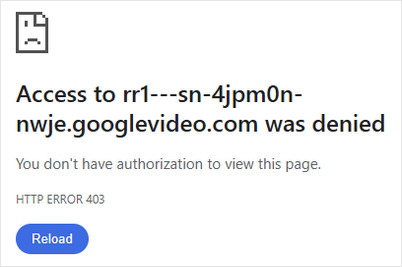
This means that while YouTube Multi Downloader could often analyze the URL and display download options, the actual media download did not always complete successfully. Based on our 60-video sample, its download reliability was significantly lower than we would expect.
Another limitation was video quality. Although the tool could detect high-resolution YouTube videos, the highest download option we encountered was 1920p. When testing 4K and 8K videos, the corresponding higher-resolution options were generally unavailable, with 1080p being the highest option offered.
Playlist support was also more limited than the promotional description might suggest. The tool could parse a playlist and display its videos, but there was no one-click option to download the entire playlist. Each video had to be processed and downloaded separately, so we wouldn't consider it a truly effective free YouTube playlist downloader for batch downloads.
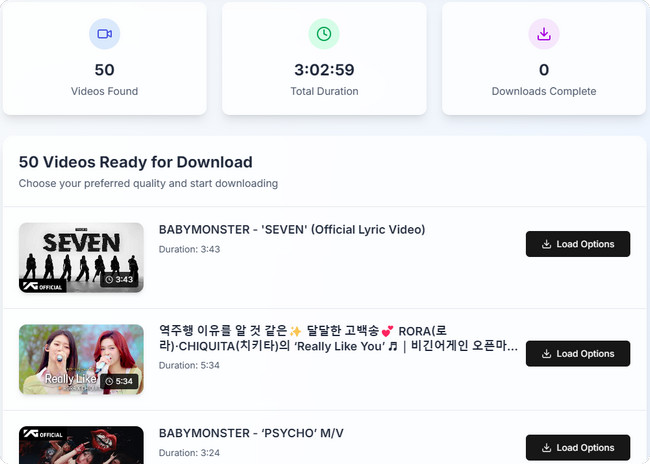
In this section, we summarize the main advantages and disadvantages of YouTube Multi Downloader based on actual test results. This will give you a more intuitive understanding of whether it's right for you.
Given the low 21.7% success rate, resolution restrictions, and lack of true batch downloading in YouTube Multi Downloader, a dedicated desktop software provides a much more reliable solution. NoteBurner YouTube Video Downloader serves as a robust free YouTube Multi Downloader alternative that delivers full-quality YouTube downloads.

| Feature / Parameter | YouTube Multi Downloader | NoteBurner YouTube Video Downloader🏆 |
|---|---|---|
| Download Success Rate | Low (21.7% in testing, 13/60 videos) | High (~100% stable success rate) |
| Highest Quality Option | Up to 1080p / 1920p (4K/8K unavailable) | Supports original 4K / 8K resolution |
| Output Formats | MP4, M4A, WEBM (No direct MP3) | MP4, MKV, MP3, M4A |
| Playlist Downloading | Requires single downloads per video | True one-click batch playlist downloading |
| Download Workflow | Copy and paste the URL into the tool | Built-in browser for direct browsing and downloading |
| Speed & Stability | Inconsistent speed with frequent errors | Fast hardware-accelerated downloads |
| Installation Required | No | Yes |
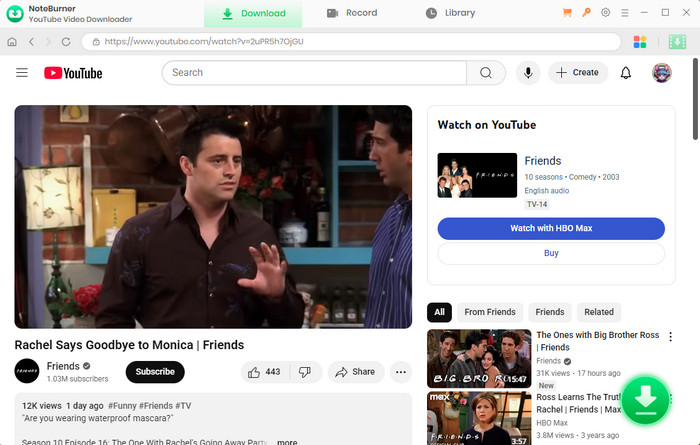
Step 1 Choose YouTube Platform
LAfter launching the program, you will see many streaming platforms. Simply select YouTube. The program's built-in browser will then open the YouTube webpage.
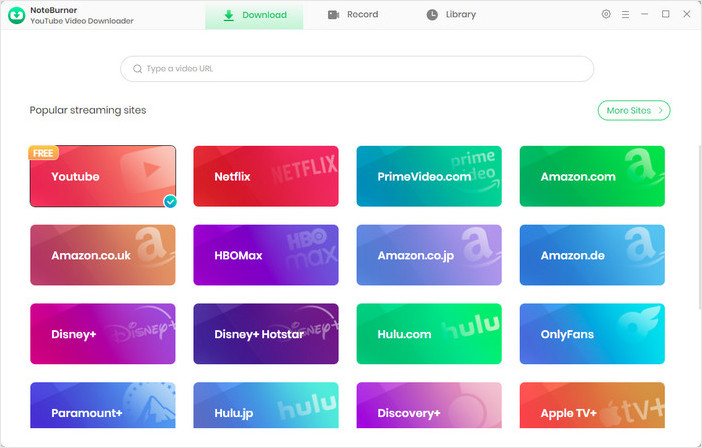
Step 2 Customize Download Settings
Click the  button in the upper right corner to customize the "video quality (up tp 8K)", "video format" (MP4, MKV), and "output path".
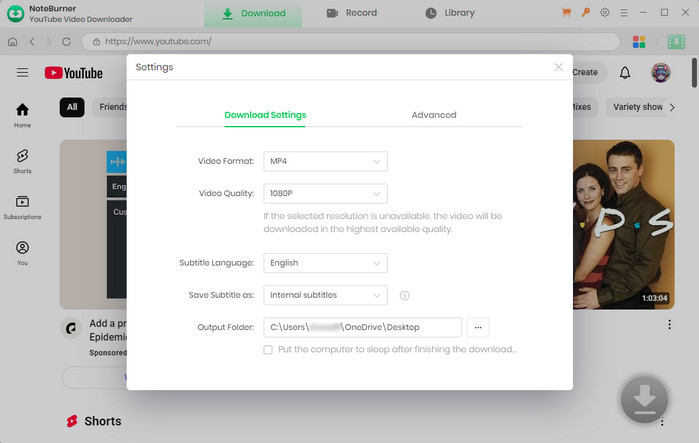
Step 3 Add Preferred Videos
Simply enter the keyword or name of the YouTube video or playlist you want to download in the search box. You can log in to browse videos, but downloading is available with or without logging in.
Step 4 Customize Video Quality and Subtitles
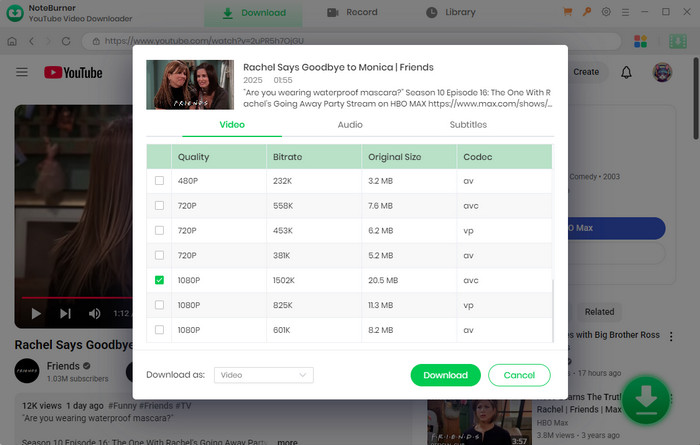
Once you find the video you want to download, hit the  icon. A window will then pop up, allowing you to make more advanced settings for video quality, audio quality, and subtitles.
If you want to download an audio file, you can choose "Download as Audio", which is located in the bottom left corner. NoteBurner also allows you to download subtitles as separate files by selecting "Download as Subtitles".
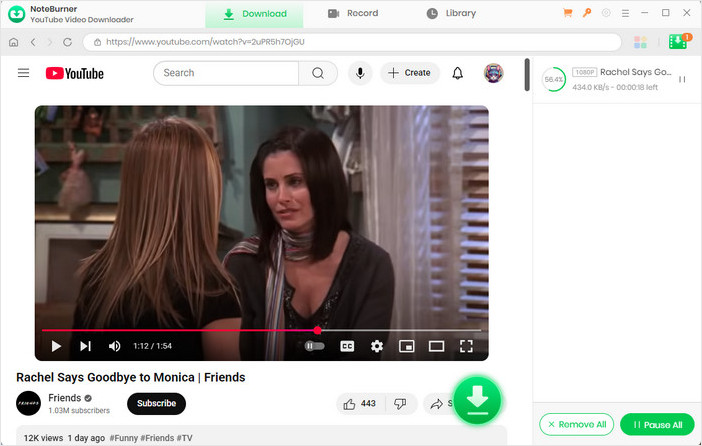
Step 5 Start to Download YouTube Video or Audio
Click the "Download" button to start downloading the YouTube videos or audio files to the output folder you've chosen in the previous step.
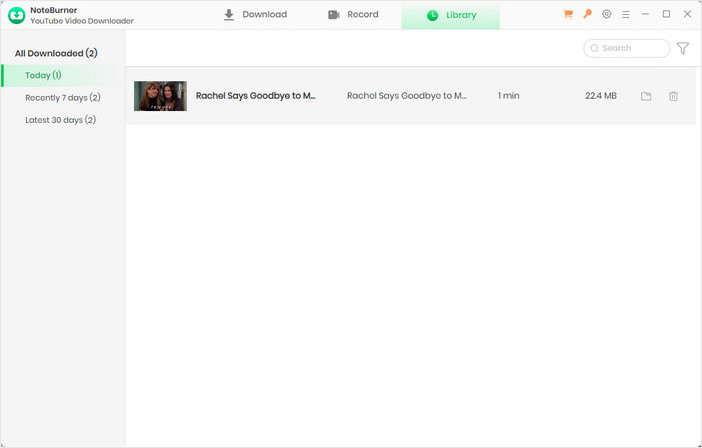
Step 6 Find the Downloads
After downloading, you can click on "Library" to find the well-downloaded YouTube videos or audio files on your local drive. Now, you can freely enjoy your downloaded YouTube videos and audio files without the internet!
Yes, YouTube Multi Downloader is completely free to use directly in your web browser without requiring account registration or software installation.
An HTTP 403 error occurs when YouTube blocks the downloader's server request, preventing the tool from fetching and completing your media file download.
No, it cannot download an entire playlist in one click; it only parses playlist links and requires you to download each video individually. If you want a true one-click playlist downloader, we recommend using NoteBurner YouTube Video Downloader, which lets you batch download full playlists effortlessly.
No, while it can detect high-resolution source videos, it doesn't offer the highest quality download option for 4K or 8K videos in our tests.
While basic URL fetching is safe, web downloaders often redirect you to third-party ad sites, making desktop software a safer alternative.
You can use a reliable desktop tool like NoteBurner YouTube Video Downloader to extract and save audio directly in MP3 format with high quality.
In conclusion, while YouTube Multi Downloader offers a quick and free online video downloader option for basic needs, its low success rate, resolution caps, and lack of true batch downloading make it frustrating for high-quality saving.
If you need a reliable and fast alternative, NoteBurner YouTube Video Downloader is your best choice to effortlessly save 8K YouTube videos, extract high-quality MP3 audio, and convert complete YouTube playlists with a single click. Download NoteBurner for free today to enjoy seamless offline playback anytime!