Want to watch Netflix with friends on Discord for a virtual movie night? While Discord's screen sharing feature is convenient, many users encounter issues like black screens, no sound, or buffering due to Netflix's DRM protection. Don't worry, these problems are usually easily solved. This article will not only guide you step-by-step on how to strean Netflix on Discord, but also provide quick solutions for Discord screen sharing failures and a more stable way to party.
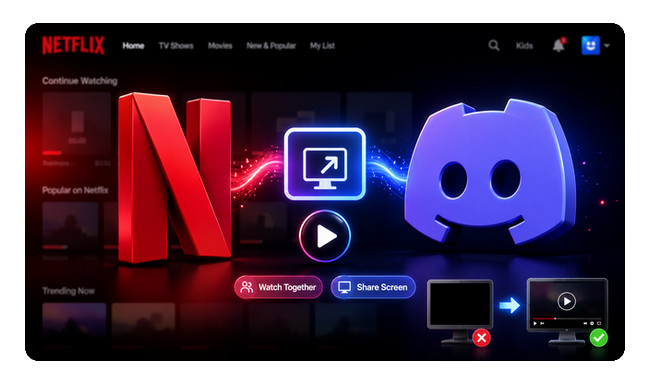
Yes, you can stream Netflix on Discord using the Screen Share feature. Simply open Netflix in your browser or desktop application, join a Discord voice channel, and then share your screen so your friends can watch together.
However, watching Netflix videos on Discord can be unstable. Many users experience issues such as black screens, no sound, or stuttering when sharing their screens. These are known issues, usually caused by browser settings or hardware acceleration, rather than problems with Discord itself.
Before you get started, make sure you have:
If this is your first time hosting a Netflix viewing party, don't worry, we've got you covered. Here's how to stream Netflix on Discord using Discord's built-in screen sharing tool in a few simple steps.
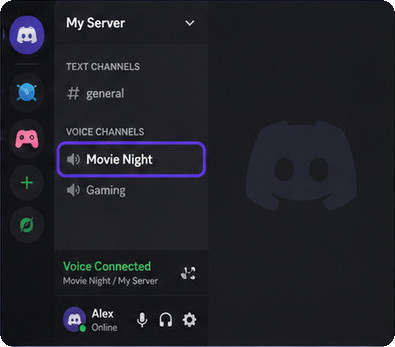
Step 1Open Discord and join a voice channel.
Launch the Discord desktop app and join a server where you want to watch Netflix with your friends. Then, enter any voice channel to enable the Screen Share feature.
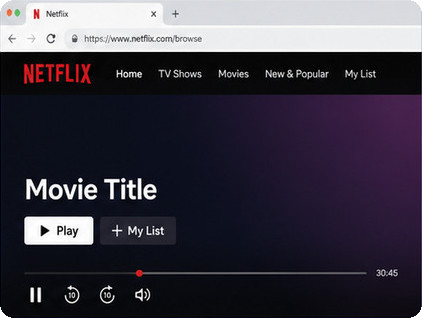
Step 2Open Netflix and sign in to your account.
Open Netflix in a supported browser such as Google Chrome or Microsoft Edge, then sign in and choose the movie or TV show you want to watch. Pause the video before sharing your screen.
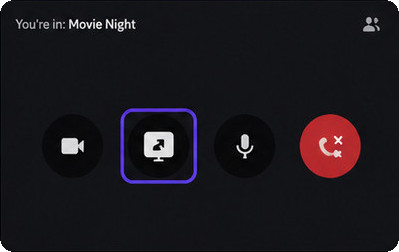
Step 3Click Share Your Screen in Discord.
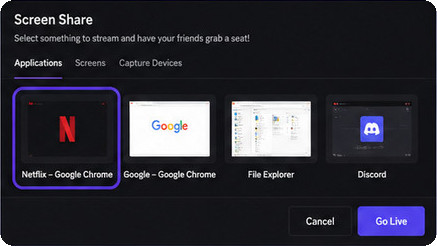
At the bottom of the voice channel, click the Share Your Screen icon. Discord will display all available windows currently open on your computer.
Step 4Select the Netflix browser window.
Choose the browser window playing Netflix instead of sharing your entire desktop. This usually provides a cleaner viewing experience and helps avoid accidentally sharing unrelated content.
Step 5Choose your streaming quality.
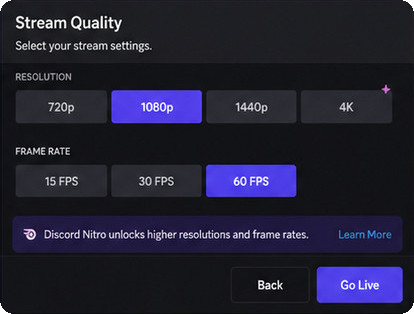
Select your preferred streaming resolution and frame rate before starting the stream. If you have Discord Nitro, you can choose higher resolutions for a better watch party experience.
Step 6Start streaming and enjoy your watch party.
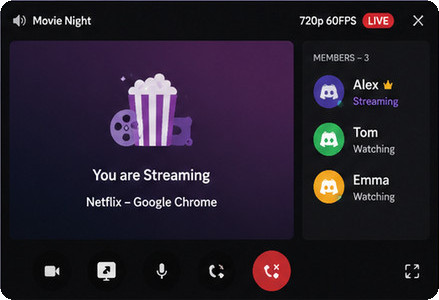
Click Go Live (or Share) to start streaming Netflix on Discord. Your friends can join the voice channel and watch the stream together in real time.
Tip: Having trouble playing Netflix on Discord? Don't worry — most streaming issues can be fixed with the troubleshooting steps below. Or, if you'd rather skip the hassle, just download your Netflix videos as MP4 and share the local file through Discord.
If Netflix isn't working properly in Discord, you're not alone. Many users have reported issues such as black screens, no sound, buffering, or poor video quality.
Use the table below to quickly identify the most common issues and their possible causes.
| Issue | Possible Cause |
|---|---|
| Black screen | Netflix DRM protection or hardware acceleration |
| No sound | Incorrect audio source or Discord audio settings |
| Lag or buffering | Slow internet connection or high CPU usage |
| Netflix window not detected | Browser compatibility or Discord permission issues |
| Poor video quality | Discord stream quality settings or network limitations |
Here's a closer look at each issue and what usually causes it.
This is by far the most common issue when trying to stream Netflix on Discord. Netflix uses Digital Rights Management (DRM) to prevent unauthorized copying of its content. Depending on your browser and graphics settings, DRM may block the video during screen sharing, resulting in a black screen while the audio continues playing.
Real user feedback:
"My friends can hear the movie, but all they see is a black screen."
This issue has been widely discussed by Discord users on Reddit and Discord's community forums.
If your friends can see the video but can't hear anything, Discord may not be capturing the browser's audio correctly. This often happens when sharing the wrong window, using an unsupported browser, or when Discord doesn't have permission to capture system audio.
"Video works perfectly, but nobody can hear Netflix except me."
Streaming Netflix while running Discord can consume significant network bandwidth and system resources. If your internet connection is unstable or your computer is under heavy load, viewers may experience buffering, dropped frames, or delayed playback.
Sometimes Discord doesn't detect the browser window at all. This can happen if Netflix hasn't started playing yet, the browser isn't fully compatible, or Discord lacks the necessary permissions to capture the application window.
If the stream looks blurry, the issue is usually related to Discord's streaming quality settings or limited upload bandwidth. Users without Discord Nitro may also have fewer streaming quality options available.
This article explores popular free Netflix video downloaders, reveals which ones actually work and limitations behind these so-called free tools.
The most common problem when playing Netflix on Discord is a black screen. Many users have reported that their friends can hear the movie's sound, but the video is completely black when screen sharing is enabled. If you've encountered this problem, you can try the following methods to fix it.
Recommended order: Browser hardware acceleration → Discord hardware acceleration → Chrome/Edge → Share browser window → Run Discord as administrator → Update software → Disable extensions → Lower stream quality.
Hardware acceleration is the number one cause of Netflix black screen issues on Discord because it changes how the video is rendered by your graphics card.
Chrome / Edge:
After restarting, open Netflix again and try screen sharing in Discord.
Discord also has its own hardware acceleration feature, which can interfere with video capture on some systems.
Some browsers work more reliably with Discord screen sharing than others. If you're using Firefox, Safari, or another browser, switch to the latest version of Google Chrome or Microsoft Edge and test the stream again.
When you click Share Your Screen, choose the specific browser window playing Netflix instead of sharing the whole desktop. Discord captures application windows more reliably than full-screen desktop sharing.
On Windows, Discord may not have permission to capture protected video content unless it is running with elevated privileges.
Outdated software can cause screen sharing bugs. Make sure both Discord and your browser are updated to the latest version, then restart your computer before testing again.
Ad blockers, privacy extensions, video downloaders, and screen-recording extensions can interfere with Netflix playback. Disable extensions temporarily and try streaming again.
If the stream starts but frequently freezes or turns black after a few seconds, reduce the stream quality:
This reduces GPU and bandwidth usage and can improve stability on older computers.
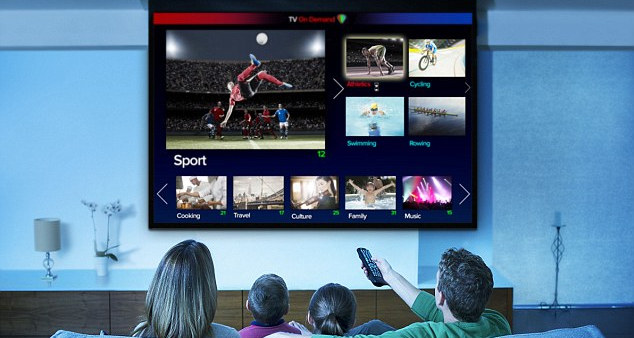
Want to watch Netflix videos on TV? Read on the article to get 8 different yet efficient methods to stream Netflix videos on TV with ease.
Even after trying the fixes above, some users may still experience playback issues depending on their browser or system setup.
This is where NoteBurner Netflix Video Downloader comes in handy. It allows you to save Netflix movies and TV shows as MP4 or MKV files. Because you're sharing local videos instead of the Netflix player, you can avoid many common playback problems and enjoy a smoother, 1080p higher-quality viewing experience.
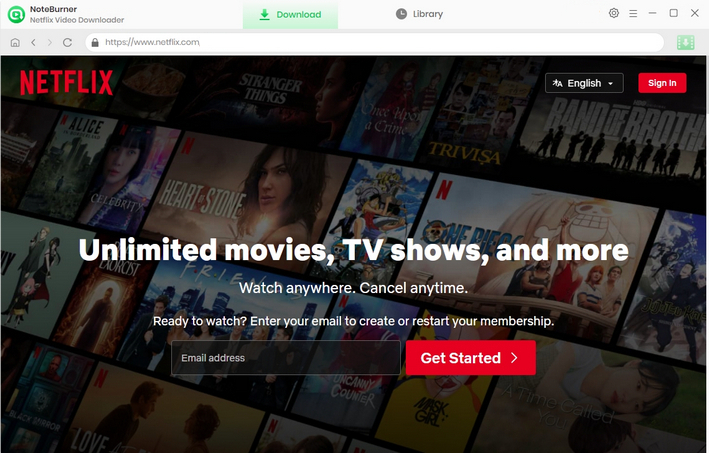
Step 1 Run Netflix Video Downloader
Please download Netflix Video Downloader on your Windows or Mac PC and then launch it. Enter any word in the search box, which will open a pop-up window. You will then be required to log into your Netflix account.
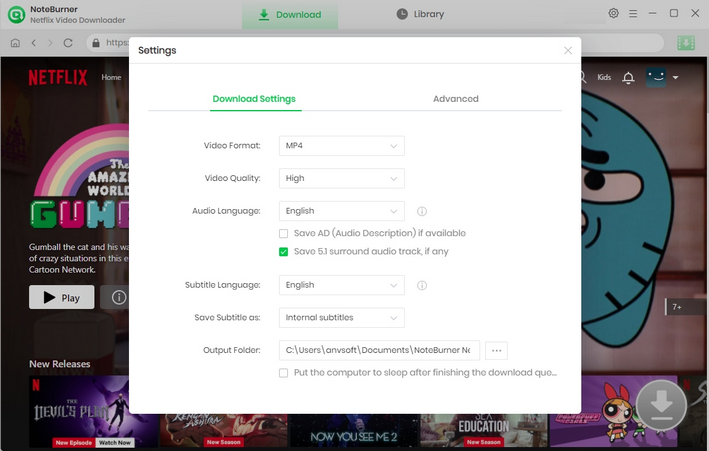
Step 2 Customize the Output Settings
To customize the output settings, you need to click the "Settings" icon in the upper right corner, and a pop-up window will show up, where you can customize the Output Quality (High, Medium, Low) and Output Path. If you want HD-quality video, you should select the high output quality.
Step 3 Search for Videos
There are two ways to search for videos. First, you can enter the name of a movie or TV show in the search bar. Or, you can copy and paste the video link from the Netflix web player in the search bar. All related videos will be listed for you.
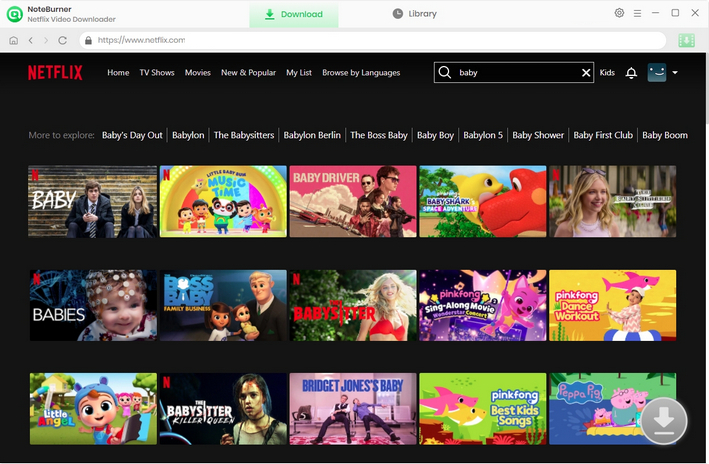
Step 4 Select the Audio Track and Subtitle Language
Before downloading, you can choose your preferred audio tracks and subtitle languages in the Advanced Download settings. For a movie, simply click the  icon to open the Advanced Download window. For a TV show, click the icon, select the seasons and episodes you want in the pop-up window, then click Advanced Download in the bottom-left corner to customize the audio tracks and subtitles.
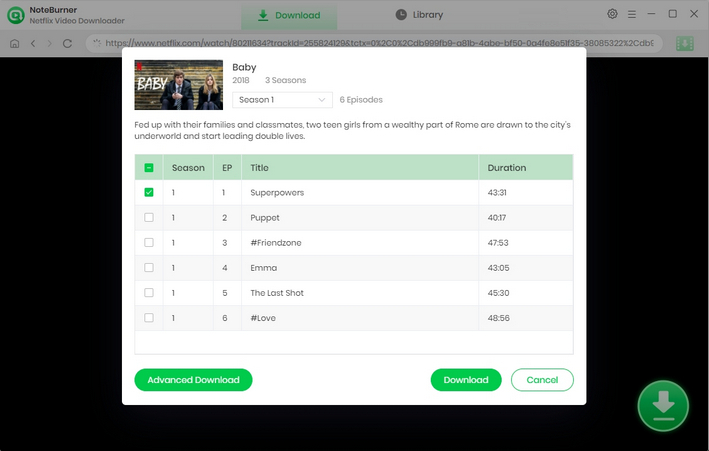
Step 5 Download Netflix Videos to MP4
Click on the "Download" icon. NoteBurner Netflix Video Downloader will download Netflix videos and save them to the output folder you've chosen before. Lastly, click the "Library" tab to view all the downloaded videos in MP4 format.
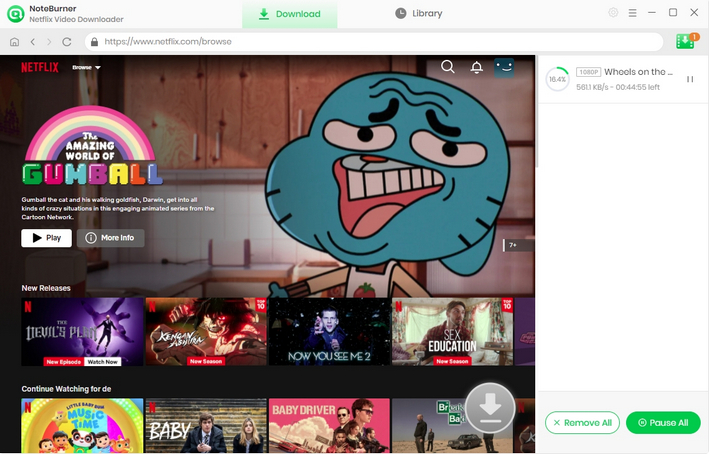
Disclaimer: For personal and educational use only. 🚫 Do not distribute downloaded video for commercial use.

A: This usually happens because you're sharing your entire screen instead of the browser window playing Netflix. Try sharing the Netflix browser window directly, or add your browser as a registered game/app in Discord. That usually brings the audio back.
A: Not really. The official Netflix app on Windows and Mac has stricter DRM protection, so you're much more likely to get a black screen. For the best results, open Netflix in a web browser like Chrome, Firefox, or Microsoft Edge instead.
A: Most people have the best experience with Google Chrome or Mozilla Firefox. With hardware acceleration disabled, these two browsers have the best compatibility on Discord.
A: Generally, no. Sharing Netflix with a few friends in a private Discord server isn't likely to get your account banned. However, publicly streaming copyrighted content or violating Netflix's Terms of Use could lead to warnings or other restrictions, so it's best to keep your watch parties private.
A: A slow internet connection is the most common reason. Free Discord accounts are also limited to 720p at 30 FPS, while Discord Nitro unlocks higher streaming quality. Or use NoteBurner to easily play Netflix videos in 1080p.
A: Yes, you can share your Netflix screen on Discord without Nitro. However, your video stream will be limited to the default free quality, which is 720p 30fps.
This article is a review of NoteBurner Netflix Video Downloader, telling you what the program is, how it works, and why it is worth it.
Now you know how to stream Netflix on Discord, whether you're hosting a movie night or simply watching with a few friends. In most cases, Discord's Screen Share feature works well once you've adjusted the right settings.
But for the the most reliable watch party experience, downloading Netflix videos as MP4 before sharing can save you time and frustration. With NoteBurner Netflix Video Downloader, you can keep your favorite Netflix movies and TV shows in up to 1080p, then share them smoothly on Discord without worrying about black screens or streaming interruptions.
Ready to stream Netflix on Discord without black screens? Download NoteBurner today and start sharing your favorite Netflix videos with friends more easily.
Note: Only the first 5 minutes of each video can be downloaded with the trial version. Please purchase a license to enjoy the full video. It is suggested that to download the trial version and have a test before purchasing it.