Finding a free Netflix video downloader might seem simple, but the reality is far more complex once you actually start testing the various solutions available. You will encounter many tools claiming to offer free, ad-free Netflix video downloads. However, they rarely clarify exactly what "free" entails in their specific cases.
To identify tools that actually work, we tested a range of popular "free Netflix video downloader" applications, specifically those frequently cited in reviews and forum discussions. We evaluated them across several criteria, including ease of use, video quality, functional limitations, and overall user experience. This article reveals our findings, clarifying what these tools actually deliver and identifying which Netflix download solutions are worth your valuable time.
Discover 3 real ways to get Netflix for free or at a lower cost in 2026. Learn what still works and legal ways to access it.
For many users, an online Netflix video downloader is the ideal solution. There's no software to install, no registration required, and all you need to do is paste a Netflix video URL into a web page and click Download.
During our research, we found two common types of online solutions. One is browser extensions that can detect downloadable videos on web pages, while the other is websites specifically claiming to download Netflix videos online. We tested representative tools from both categories.
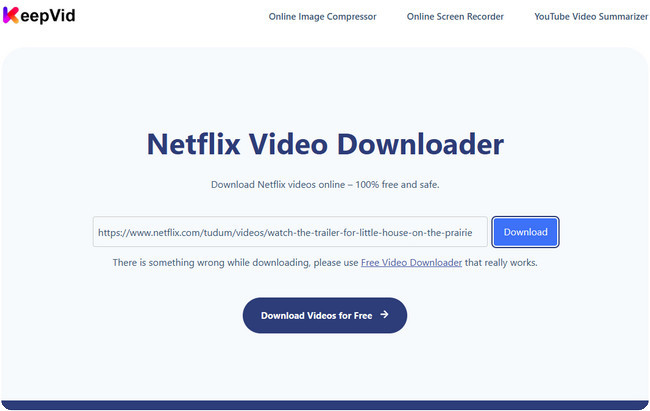
You might be delighted to come across the "KeepVid Netflix Video Downloader" while searching for a free online Netflix downloader, as the site appears quite trustworthy. However, it is important to note upfront that the original KeepVid service announced the permanent discontinuation of its video downloading capabilities back in 2018. Despite this, there are still websites operating online under the KeepVid name, some of which continue to advertise Netflix downloading features.
Even though it is not the original service, we verified whether this KeepVid-branded site actually works by testing the downloader with multiple Netflix video links. Unfortunately, none of the links could be successfully processed. When we clicked the "Download" button, the system failed to generate a downloadable file and instead repeatedly redirected us to unrelated webpages.
Test Results: We were unable to successfully download any Netflix movies or TV series during our testing. Although the site markets itself as a Netflix downloader, it did not provide any functional downloading capabilities during our evaluation.
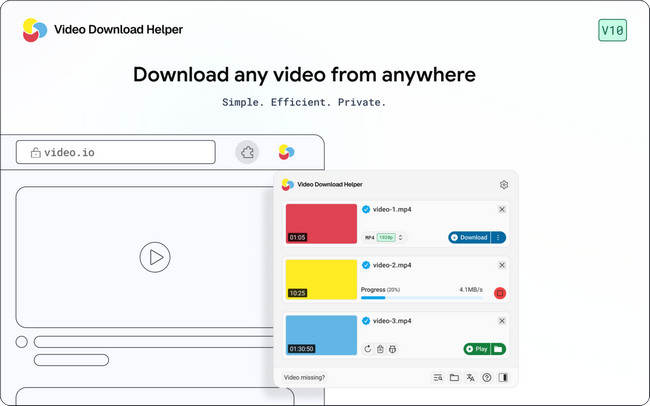
Video DownloadHelper is one of the most popular browser extensions for downloading online videos. Rather than being developed specifically for Netflix, it is designed as a general-purpose video downloader that automatically detects downloadable media on supported websites.
According to its official documentation, Video DownloadHelper supports downloading standard MP4 videos, HLS streams, DASH streams, embedded videos, and audio streams. However, Netflix is not listed among its officially supported services.
Even so, many third-party review articles and forum discussions still recommend Video DownloadHelper as a possible free Netflix downloader because Netflix also uses DASH streaming technology. To verify these claims, we tested the extension with multiple Netflix titles.
Test Results: While Video DownloadHelper successfully detected downloadable videos on many ordinary websites, it was unable to detect or download protected Netflix movies and TV shows during our testing. Netflix streams are protected by DRM encryption, preventing the extension from accessing downloadable media in the same way it does on non-protected websites.
Unlike the online tools mentioned above, the software in this category can actually download Netflix videos. However, they're not truly free Netflix video downloaders. Instead, they follow a freemium model, allowing users to try the software for free while reserving important features for paid users.
Most free versions come with restrictions such as lower video quality, daily download limits, or other feature limitations. In other words, the free version is designed to let you evaluate the software rather than replace the paid version. We tested two popular examples below.
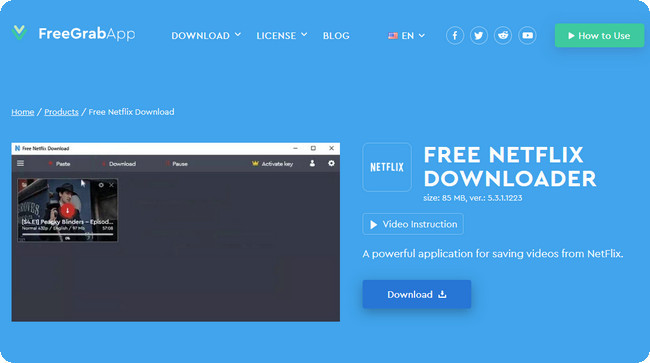
FreeGrab Netflix Downloader is one of the few desktop applications that explicitly markets itself as a free Netflix downloader. According to its official website, it supports downloading Netflix videos and even advertises HD (1080p) downloads, making it look like a completely free solution at first glance.
After installing the software, we found that the interface feels quite outdated but is relatively easy to use. However, the experience differs significantly from what many users may expect. The free version limits downloaded videos to 240p resolution and also imposes a daily download limit. To unlock 720p, 1080p and remove these restrictions, users need to upgrade to the Premium version.
Test Results: FreeGrab can download Netflix videos, but the free version is heavily restricted. While it serves as a trial version, it isn't suitable for users expecting unlimited, high-quality Netflix downloads at no cost.
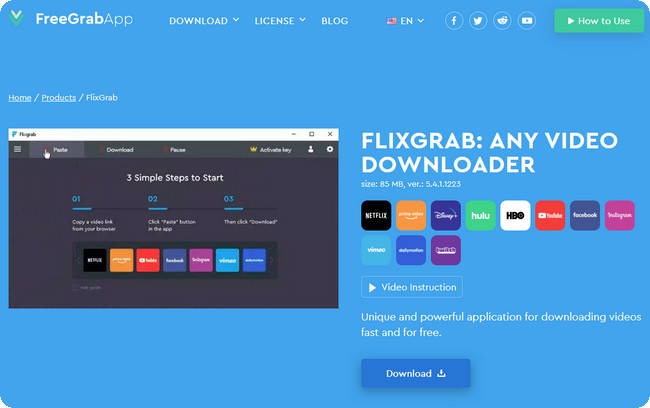
FlixGrab is developed by the same company behind FreeGrab. Unlike FreeGrab, which focuses on Netflix, FlixGrab supports downloading videos from multiple streaming services, including Netflix, Amazon Prime Video, Disney+, Hulu and several other platforms.
Like FreeGrab, FlixGrab offers a free version for new users, but important features are reserved for paid users. During testing, we found that the free edition is mainly intended for evaluation, with restrictions that make it unsuitable for downloading large numbers of videos or obtaining the best available quality.
Test Results: FlixGrab is a legitimate Netflix downloader, but its free version functions more like a trial than a fully featured free downloader.
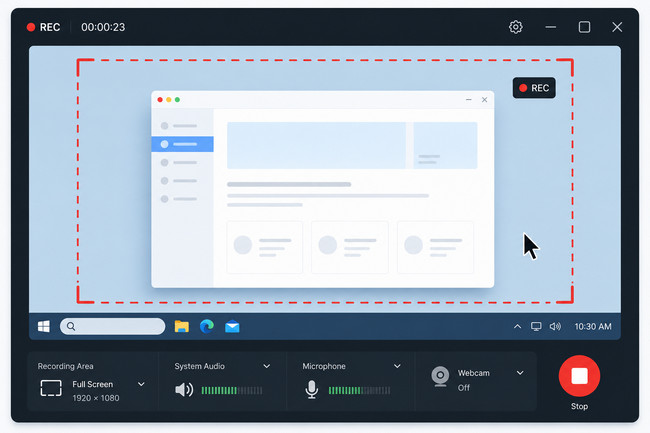
When searching for a free Netflix video downloader, you may also come across screen recording software, such as OBS Studio, Bandicam, EaseUS RecExperts, and Xbox Game Bar. In fact, many third-party review articles list these products alongside Netflix downloaders, making them appear to be similar solutions. However, they work in a completely different way.
These products are legitimate recording solutions, but they shouldn't be confused with Netflix downloaders. If your goal is to save Netflix videos permanently, it's important to understand the difference between recording and downloading.
| Screen Recording | Netflix Video Downloading |
|---|---|
| Records the video while it plays. | ✅ Downloads the original video directly. |
| Requires watching the entire movie or episode. | ✅ Usually finishes much faster than real-time playback. |
| Output quality depends on recording settings. | ✅ Keeps the original video quality whenever supported. |
| May capture notifications or playback interruptions. | ✅ Creates a clean video file without recording artifacts. |
| Best for occasional recording. | ✅ Better for building a permanent offline video library. |
GitHub is another place where many people search for free Netflix video downloaders. You'll find numerous open-source projects claiming to download Netflix videos, and some of them have even been recommended in blog posts, forums, and Reddit discussions.
However, unlike commercial applications such as NoteBurner, these projects are generally designed for developers, researchers, and advanced users rather than everyday Netflix subscribers. Most of them are command-line tools or incomplete projects that require considerable technical knowledge before they can be used successfully.

| Project | Reality Check |
|---|---|
| NETFLIX-DL-6.0 | Requires command-line usage and additional DRM-related components. Not designed for ordinary users. |
| Netflix-DL | Developer-oriented project with manual configuration and complex dependencies. |
| yt-dlp | Excellent for YouTube and many public websites, but does not download DRM-protected Netflix videos. |
During our research, we found that these projects typically require much more than simply downloading and running a program. Depending on the project, users may need to install Python, configure command-line environments, resolve software dependencies, obtain decryption-related components, or troubleshoot errors manually. Even after spending significant time setting everything up, there's still no guarantee the tools will work as expected.
| Open-Source Project | Consumer Downloader |
|---|---|
| Requires command-line knowledge. | ✅ Simple graphical interface. |
| Often requires installing additional dependencies. | ✅ Ready to use after installation. |
| May require manual troubleshooting. | ✅ Designed for ordinary users. |
| Success depends on technical experience. | ✅ Works with guided, user-friendly workflows. |
| Time-consuming to learn and configure. | ✅ Focuses on convenience and ease of use. |
After testing dozens of tools, one thing became clear: there isn't a single solution that is both completely free, easy to use, and capable of downloading Netflix videos reliably. Most "free Netflix downloaders" fall into one of the categories above—they either don't work, have significant limitations, rely on screen recording, or require advanced technical knowledge.
The main reason is that Netflix protects its content with DRM (Digital Rights Management). Unlike ordinary online videos, Netflix streams are encrypted to prevent unauthorized downloading and distribution. As a result, tools that work perfectly for YouTube or public video websites usually can't download Netflix videos directly.
Developing and maintaining a reliable Netflix downloader also requires continuous updates to keep pace with changes to Netflix's streaming technology. This is why most working solutions are commercial software rather than completely free tools.
So, if a website claims to offer a 100% free Netflix video downloader with no limits, it's worth taking a closer look at how it actually works.
So, what does work in 2026? In the next section, we'll look at the most practical ways to download Netflix videos and explain which option is best for different needs.

Want free movie streaming apps? Here are 10+ safe, legal, and tested apps to watch movies and TV shows in 2026—each with its own unique features.
Since there isn't a truly free Netflix video downloader, why not choose a reliable professional download tool?
NoteBurner Netflix Video Downloader is designed specifically for downloading Netflix movies and TV shows for offline viewing. Instead of recording your screen or relying on browser extensions, it provides a straightforward way to save Netflix videos in MP4 or MKV format while preserving 1080p video quality and multilingual audio tracks.

Step 1 Run Netflix Video Downloader
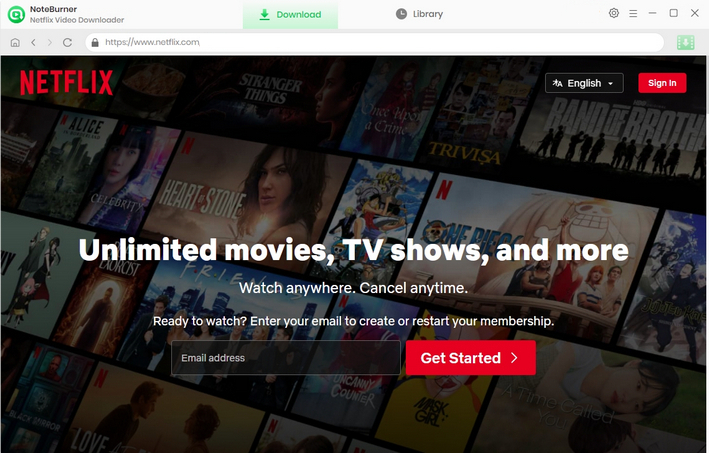
Please download Netflix Video Downloader on your Windows or Mac PC and then launch it. Enter any word in the search box, which will open a pop-up window. You will then be required to log into your Netflix account.
Step 2 Customize the Output Settings
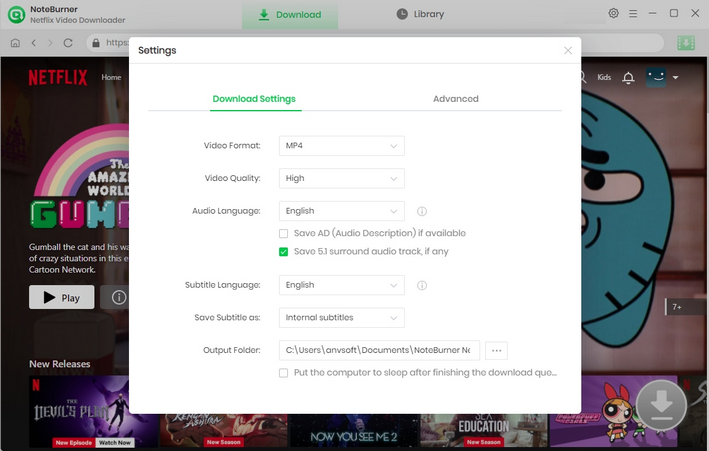
To customize the output settings, you need to click the "Settings" icon in the upper right corner, and a pop-up window will show up, where you can customize the Output Quality (High, Medium, Low) and Output Path. If you want HD-quality video, you should select the high output quality.
Step 3 Search for Videos
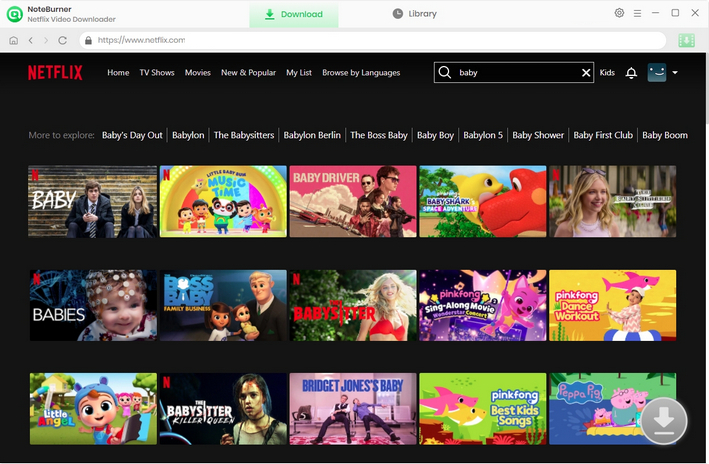
There are two ways to search for videos. First, you can enter the name of a movie or TV show in the search bar. Or, you can copy and paste the video link from the Netflix web player in the search bar. All related videos will be listed for you.
Step 4 Select the Audio Track and Subtitle Language
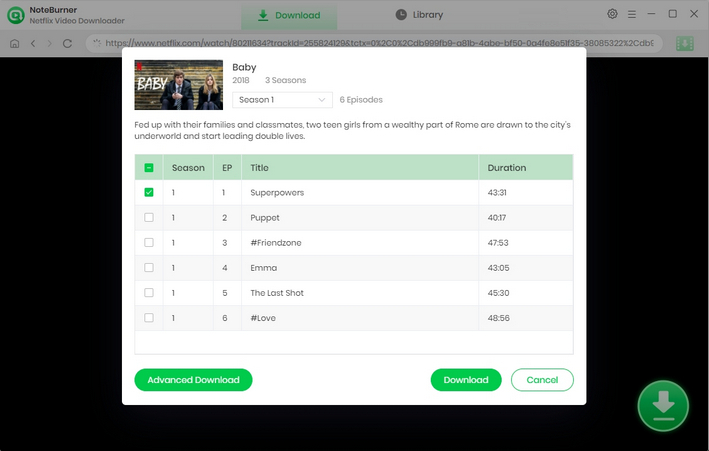
Before you start downloading videos, you can choose the audio track and subtitle language you want in the Advanced Download. When you try to download a TV show, you can simply click the  icon, after which you can choose the seasons and episodes in a pop-up window. Then you can choose the audio track and subtitle by clicking "Advanced Download" in the bottom left corner. When you try to download a movie, you can open the Advanced Download window by clicking the icon.
Step 5 Download Netflix Videos to MP4
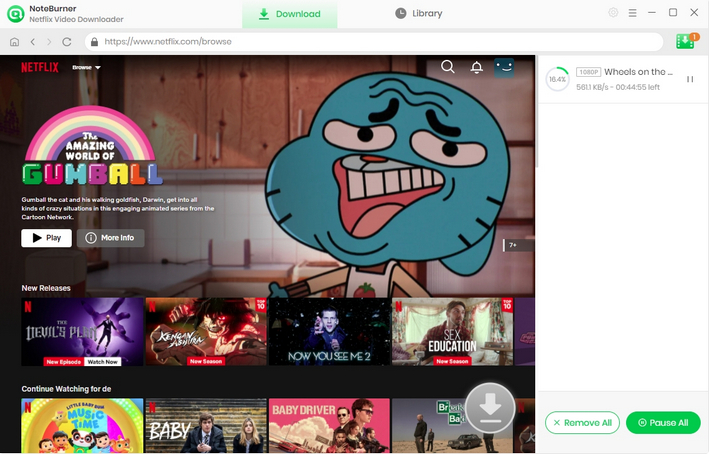
Click on the "Download" icon. NoteBurner Netflix Video Downloader will download Netflix videos and save them to the output folder you've chosen before. Lastly, click the "Library" tab to view all the downloaded videos in MP4 format.
Disclaimer: For personal and educational use only. 🚫 Do not distribute downloaded video for commercial use.

A: Based on our testing, no. Most "free Netflix video downloaders" fall into one of four categories: online downloaders that don't work, free versions with significant limitations, screen recorders, or open-source projects intended for advanced users. None of them provide an unlimited, easy-to-use, completely free solution.
A: In most cases, no. We tested several online Netflix downloaders and found that they either couldn't parse Netflix links, redirected to unrelated pages, or simply failed to generate downloadable files. Netflix's DRM protection prevents ordinary online downloaders from accessing its video streams.
A: No. yt-dlp is an excellent open-source downloader for YouTube and many public video websites, but it doesn't support downloading DRM-protected Netflix videos. Although many users search for "yt-dlp Netflix," it isn't designed to bypass Netflix's DRM protection.
A: No. A screen recorder captures whatever is playing on your screen in real time, while a Netflix downloader saves the original video directly. Recording usually takes longer, depends on playback quality, and may capture interruptions, whereas downloading is generally faster and produces cleaner video files.
A: Netflix regularly updates its streaming technology and protects its content with DRM. Maintaining a reliable downloader requires continuous development, compatibility updates, and ongoing technical support. That's why most dependable Netflix downloaders are commercial products rather than completely free software.
A: If you only want to watch videos offline within the Netflix app, the official download feature is the best free option available with supported subscription plans. If you need to save Netflix videos as permanent MP4 or MKV files, a dedicated Netflix video downloader is generally the most reliable solution.
Looking for free movie websites that actually work? This guide covers 15 most visited free movie streaming sites, with clear pros, cons, and viewing tips.
Free Netflix video downloaders sound tempting, but our testing revealed that most fall short of expectations. Some simply cannot download Netflix videos at all.
If you only need to watch offline within the Netflix app, then use Netflix's official download feature. If you want to save Netflix videos as MP4 or MKV files for permanent offline access, then a professional Netflix video downloader is the most reliable.
NoteBurner Netflix Video Downloader combines an intuitive interface with high-quality downloads, allowing anyone to easily build an offline Netflix library. If you're looking for a simple and easy-to-use Netflix video downloader, then it's definitely worth a try.
Note: Only the first 5 minutes of each video can be downloaded with the trial version. Please purchase a license to enjoy the full video. It is suggested that to download the trial version and have a test before purchasing it.