No — Netflix no longer offers a free trial. According to the official Netflix Help Center, free trials are not currently available. You can check the latest policy here: Netflix Free Trial Policy.
Instead of free trials, Netflix now focuses on flexible subscription plans, including ad-supported options at a lower monthly price. As one of the world’s leading streaming platforms, Netflix continues to invest heavily in original content, from global hits like Stranger Things and Wednesday to award-winning films and documentaries. While you can’t sign up for a traditional free trial anymore, there are still legitimate ways to access Netflix without paying directly.
In fact, even without a free trial, there are still a few smart and legal ways to watch Netflix movies and TV shows for free or at a lower cost. Let’s explore them.
T-Mobile’s “Netflix on Us” is a bundled streaming benefit that lets eligible customers watch Netflix for free as part of their mobile plan.
Instead of paying Netflix separately, the subscription is included in your monthly T-Mobile bill. In simple terms, you pay for your phone plan, and Netflix is added at no extra cost.
Currently, T-Mobile includes Netflix Standard with Ads (valued up to $7.99/month) for free on a wide range of qualifying plans, including:
However, keep in mind that this included plan is the ad-supported version. That means you will see ads during playback, and some titles may be unavailable due to licensing restrictions. If you prefer an ad-free experience or higher-tier features, you can upgrade by paying the difference. Learn more at the T-Mobile official page.
Follow these simple steps to activate your free Netflix subscription through T-Mobile:
Pro Tip: If you already pay for Netflix, T-Mobile will take over the billing after linking your account — so you won’t be charged twice.
Troubleshooting: If you don’t see the Netflix option, make sure your plan is eligible or contact T-Mobile support.
Looking for free movie websites that actually work? This guide covers the 15 most-visited free movie streaming sites, with clear pros, cons, and viewing tips.
Verizon’s Netflix + Max perk is a bundled streaming deal that includes Netflix Standard with Ads and HBO Max Basic with Ads in a single subscription.
Through Verizon’s myPlan service, eligible users can access both platforms for just $10 per month, instead of paying for them separately.
Normally, HBO Max (with ads) costs around $9.99/month on its own. This means that by subscribing through Verizon, users are essentially getting Netflix included at no additional cost.
In total, the combined value of both services is about $18.98/month, but Verizon users only pay $10/month, saving nearly $8–$9 per month.
This makes it one of the most cost-effective ways to access both Netflix and HBO Max legally in 2026, especially for existing Verizon mobile or home internet customers.
Netflix Standard with Ads
HBO Max Basic with Ads
⚠️ Important: If you already have Netflix or HBO Max, you don’t need to cancel first. Just log in and link your account during activation. Verizon will automatically take over billing after linking.
If your HBO Max account is billed directly by HBO Max or a third party, make sure to switch it to the Verizon perk during setup to avoid duplicate subscriptions.
Pro Tip: If everything is linked correctly, your previous Netflix or HBO Max billing will stop automatically after activation.
Note: If you cancel the Verizon perk later, your original subscriptions may resume directly with Netflix or HBO Max.
Want free movie streaming apps? Here are 10+ safe, legal, and tested apps to watch movies and TV shows in 2026—each with its own unique features.
Comcast StreamSaver is a bundled streaming package that includes Netflix Standard with Ads, Peacock Premium (with ads), and Apple TV+ in one subscription.
Launched in 2024 and still available in 2026, this bundle is designed to give Xfinity customers a discounted way to access three major streaming platforms at once.
Instead of paying for each service separately, Comcast combines them into one monthly plan with a significantly lower total cost.
There are two main pricing options depending on your Comcast service:
According to Comcast, this bundle offers up to 40% savings compared to subscribing to each service separately.
Netflix Standard with Ads
Peacock Premium (with Ads)
Apple TV+
All three services are integrated into one billing system, making it easy to manage subscriptions through Xfinity.
Good to know: If you already subscribe to Netflix, Peacock, or Apple TV+, you can still join the bundle — billing will automatically adjust to reflect the discount.
Can't access movie sites due to school's internet blocking? Luckily, there's a solution — this article handpicks 10+ free Unblocked Movie Sites for schools!
Now that you’ve explored several ways to watch Netflix for free or at a lower cost, there’s another common question many users run into: what happens after you start watching? While Netflix does offer an official download feature, those downloads come with limitations — they can expire, disappear due to licensing changes, and can only be played inside the Netflix app.
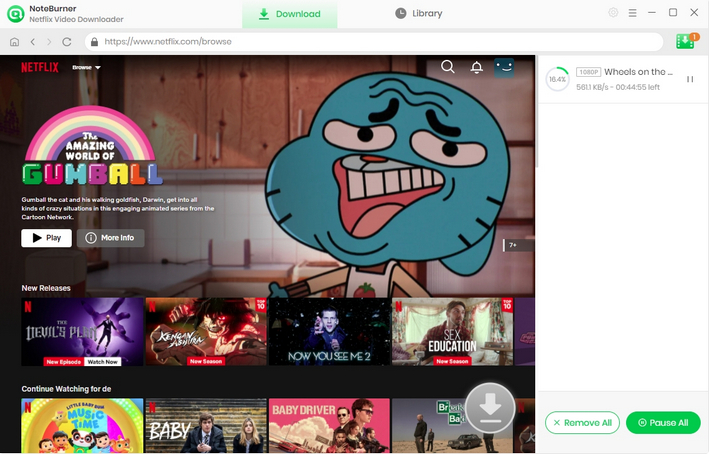
If you’re looking for a more flexible way to enjoy Netflix content beyond these limits, one practical solution is NoteBurner Netflix Video Downloader, a widely used tool that works directly with the Netflix web player.
NoteBurner allows you to download Netflix videos in MP4 or MKV format for flexible offline playback. With support for up to 1080p quality and 5x faster download speeds, you can save movies and TV shows to your computer while keeping multi-language audio tracks and subtitles in batch. This makes it much easier to watch your favorite content without worrying about expiration limits or app restrictions.

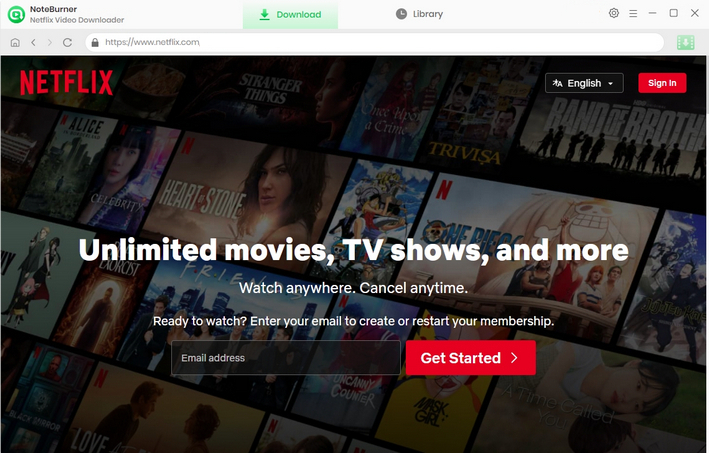
Step 1 Run Netflix Video Downloader
Please download Netflix Video Downloader to your Windows or Mac PC and then launch it. Enter any word in the search box, which will open a pop-up window. You will then be required to log into your Netflix account.
Step 2 Customize the output settings
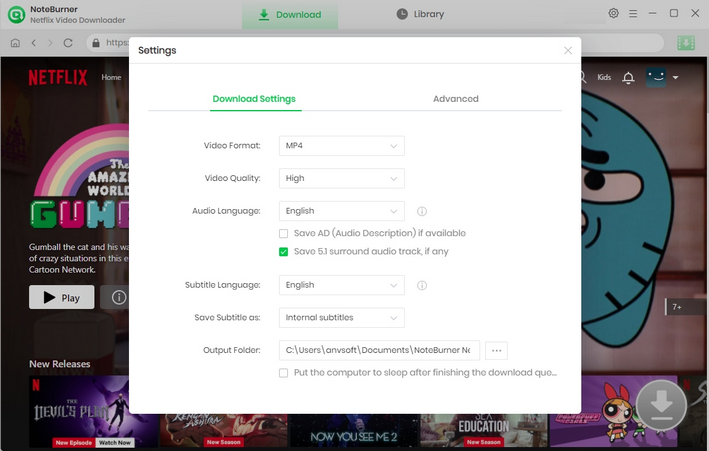
To customize the output settings, you need to click the "Settings" icon in the upper right corner, and a pop-up window will show up, where you can customize the Output Quality (High, Medium, Low) and Output Path. If you want to get an HD-quality video, you should select the high output quality.
Step 3 Search for videos
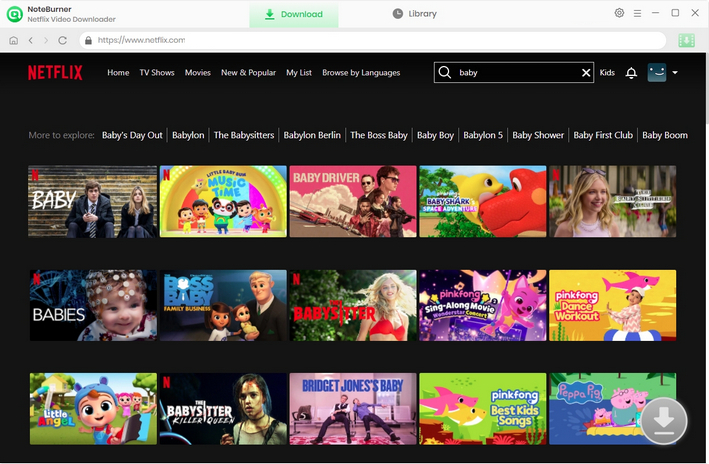
There are two ways for you to search for videos. First, you can enter the name of a movie or TV show in the search bar. Or, you can copy and paste the video link from the Netflix web player in the search bar. All related videos will be listed for you.
Step 4 Select output audio track and language
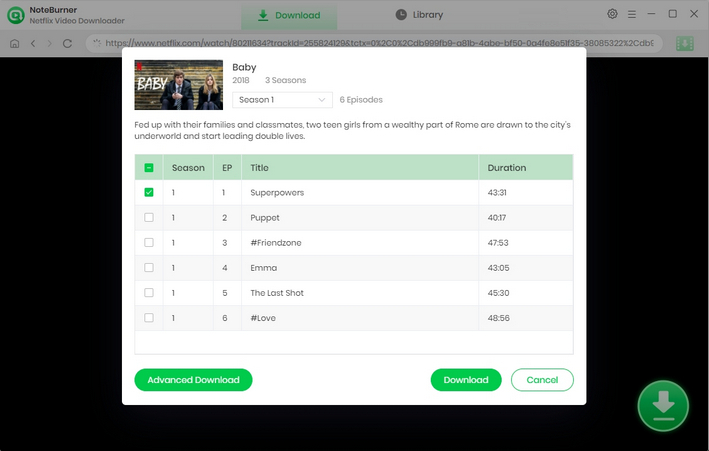
Before you start downloading videos, you can choose the audio track and subtitle language you want in the Advanced Download. When you try to download a TV show, you can simply click the  icon, after which you can choose the seasons and titles in a pop-up window. Then you can choose the audio track and subtitle by clicking "Advanced Download" in the bottom left corner. When you try to download a movie, you can open the Advanced Download window by clicking the icon.
Step 5 Start to download Netflix videos to MP4
Click on the "Download" icon. NoteBurner Netflix Video Downloader will download Netflix videos and save them to the output folder you've chosen before. Lastly, click the "Library" tab, you can see all the videos are saved in MP4 format.
A: No. Netflix does not issue "activation codes" that grant free access to the service. Any website or social media post claiming to have a "code generator" or a list of "leaked premium codes" is a scam.
A: You can get legitimate Netflix gift cards and deals from trusted sources:
Authorized Retailers: You can buy physical or digital gift cards from reputable stores like Amazon, Walmart, Target, Kroger, or directly through your local convenience stores (e.g., 7-Eleven).
Carrier Bundles: Many mobile and internet providers (such as T-Mobile’s "Netflix on Us" in the US, or various bundles from Sky and EE in the UK) include a Netflix subscription in their plans. Check with your local service provider for current "bundle" deals.
Credit Card Rewards: Some premium credit cards offer "streaming credits" or allow you to redeem reward points for Netflix gift cards.
A: It’s risky. Netflix now strictly enforces "Household" rules.
Risk: Third-party sharing sites are not official. Netflix may block your access at any time, and you might lose your money if the site shuts down.
Safe Way: Netflix now offers an "Extra Member" slot for a small additional monthly fee. This is the only 100% safe and legal way to share an account with someone living outside your home.
A: If you don't want to pay, you can use these legal ad-supported streaming services:
Tubi: Massive libraries of free movies and live channels.
Pluto TV: Offers a "live TV" experience with hundreds of channels across all genres.
The Roku Channel: Provides a mix of licensed content and "Roku Originals" for free.
Freevee: Amazon’s free streaming service.
Kanopy / Hoopla: Free high-quality movies if you have a public library card.
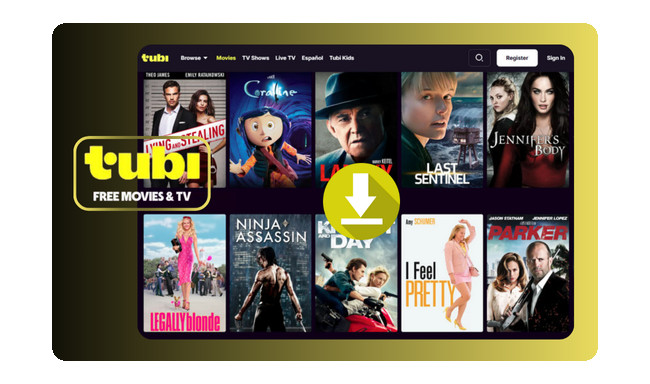
Looking for the best Tubi downloader in 2026? Save any movie or episode from Tubi TV for offline watching with fast speed, great quality, and no ads.
This article provides a detailed overview of the most practical and legitimate ways to access Netflix for free or at a lower cost in 2026. We focus on options such as T-Mobile’s “Netflix on Us” program, Verizon’s Netflix + Max bundle, and Comcast’s StreamSaver service. Eligible users can use these offers to either enjoy Netflix for free or access it at a significantly reduced monthly price.
For users who want greater flexibility with offline viewing, tools like NoteBurner Netflix Video Downloader can be very helpful. It allows users to download Netflix videos for personal offline playback on any device.
Overall, while there is currently no permanent way to watch Netflix for free, combining official streaming bundles, promotional offers, and offline viewing tools can significantly help reduce your Netflix subscription costs!
Note: Only the first 5 minutes of each video can be downloaded with the trial version. Please purchase a license to enjoy the full video. It is suggested that to download the trial version and have a test before purchasing it.